What you need
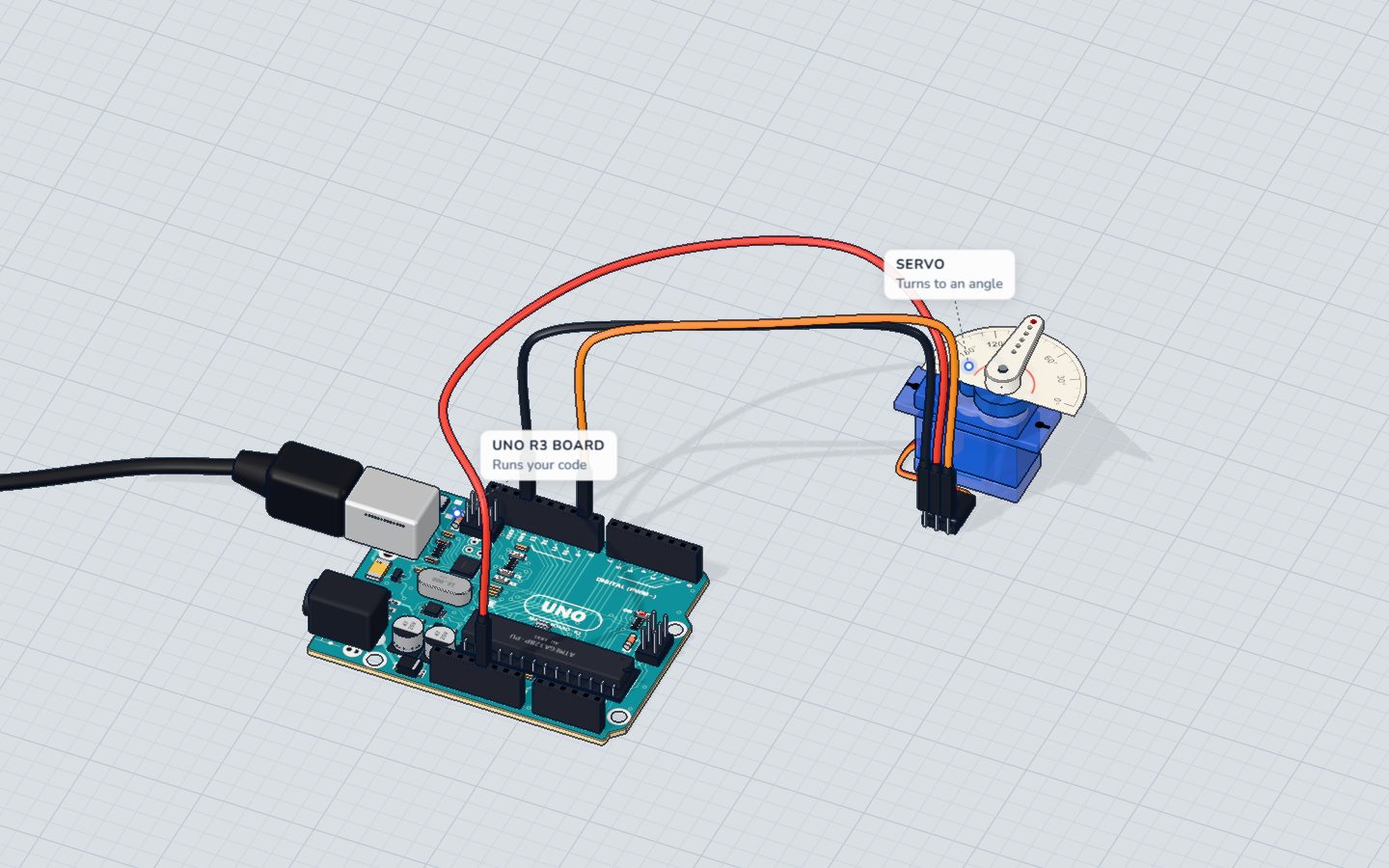
 Arduino UNO R3 (or a compatible board)
- USB cable (A to B)
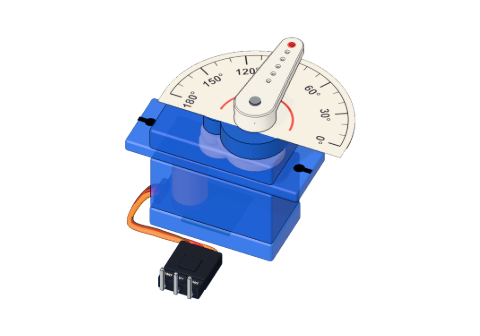 SG90 micro servo
- Jumper wires (male–male)
Don't have the parts? Build it in 3D first.
What you will build
A servo whose arm (the horn) sweeps slowly from 0° to 180°, then back to 0°, over and over — like a windscreen wiper. The Serial Monitor prints 180 and 0 each time it reaches an end.
Servos are everywhere small things must move to an exact position: the steering of RC cars, the flaps of model planes, robot arms and legs, camera gimbals, automatic pet feeders. Once you can sweep one, you can point one anywhere.
How it works
What is inside a servo
An SG90 micro servo weighs only 9 g, but it holds four things:
- a small DC motor,
- a gearbox that makes it slower and much stronger,
- a potentiometer on the output shaft, which tells the servo where its arm is now,
- a tiny control chip that compares where the arm is with where it should be, and turns the motor until they match.
That loop — measure, compare, correct — is why a servo holds its angle even when you push on it. More in how a servo works.
Talking to a servo: pulses
The servo's signal wire listens for a pulse every 20 ms (50 times a second). The length of each pulse is the angle:
| Pulse length | Angle |
|---|---|
| ≈ 0.5 ms | 0° |
| ≈ 1.5 ms | 90° (the middle) |
| ≈ 2.4 ms | 180° |
You do not have to make these pulses yourself. The Servo library does it in the background: you just say write(90).
The wiring
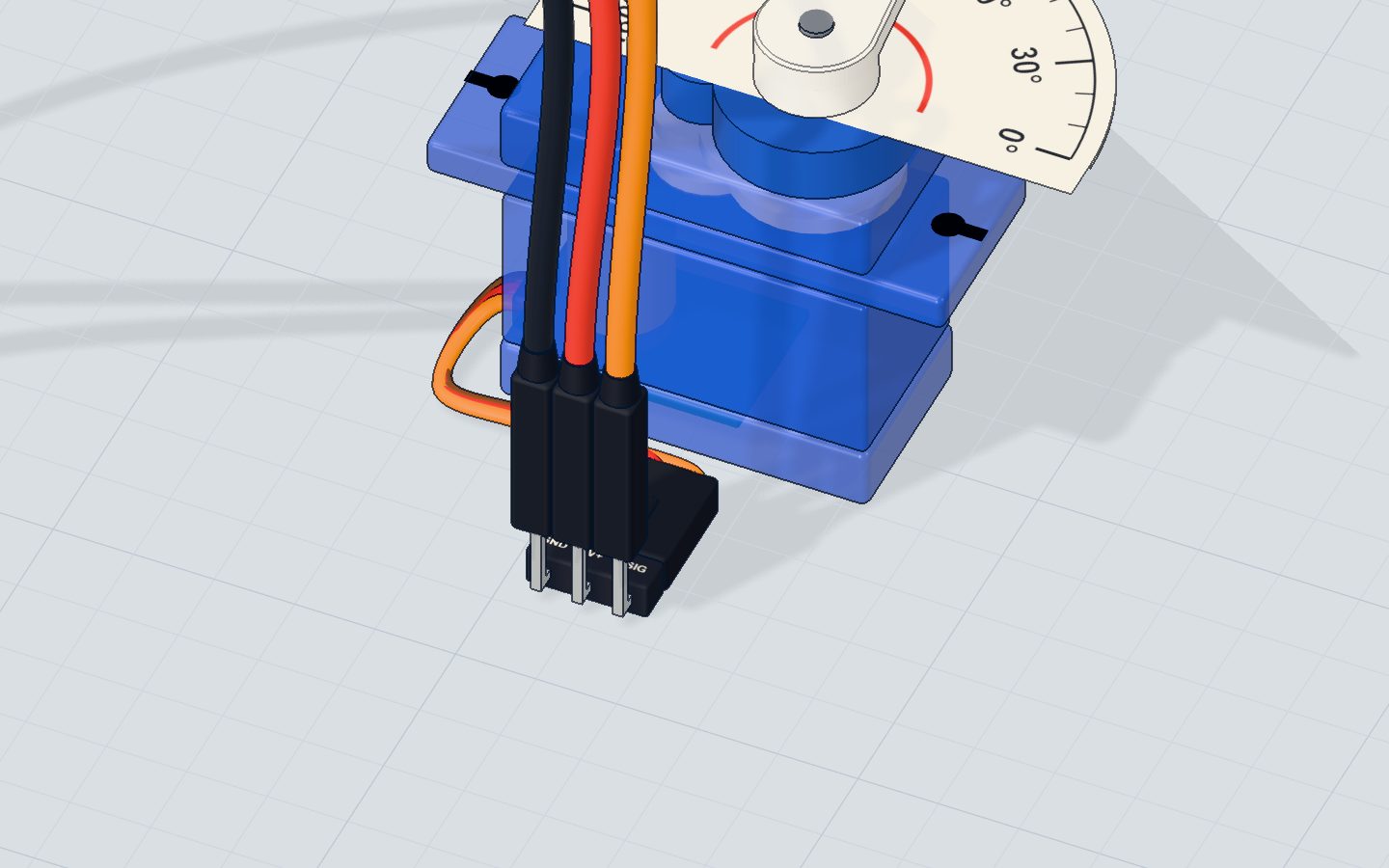
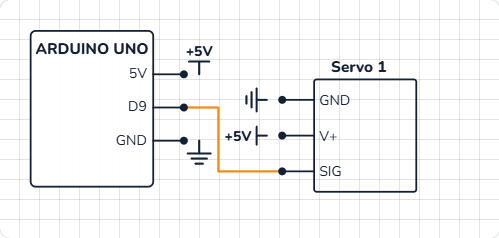
No breadboard needed: the servo's three wires go straight to the UNO.
- The orange (signal) wire to pin 9.
- The red (V+) wire to 5V.
- The brown (GND) wire to GND.
| Servo wire | Goes to | What it does |
|---|---|---|
| SIG (orange) | Pin 9 | The angle, as pulses |
| V+ (red) | 5V | Power for the motor and the control chip |
| GND (brown) | GND | Return path |
The code, line by line
#include <Servo.h>
Servo arm;

void setup() {
  arm.attach(9);
  Serial.begin(9600);
}

void loop() {
  for (int angle = 0; angle <= 180; angle += 2) {
    arm.write(angle);
    delay(15);
  }
  Serial.println("180");
  for (int angle = 180; angle >= 0; angle -= 2) {
    arm.write(angle);
    delay(15);
  }
  Serial.println("0");
}
#include <Servo.h>adds the Servo library — ready-made code that comes with the Arduino IDE. You do not need to install anything.Servo arm;makes a servo object calledarm. You could call it anything; with two servos you would make two objects.arm.attach(9)tells the library which pin the signal wire is on. From now on it sends pulses on pin 9 by itself.for (int angle = 0; angle <= 180; angle += 2)counts 0, 2, 4 … 180 — 91 steps.arm.write(angle)sets the angle. The library changes the pulse length; the servo does the rest.delay(15)gives the arm time to move 2°. 91 steps × 15 ms ≈ 1.4 seconds for each sweep.- The second
forloop counts down from 180 to 0 withangle -= 2, so the arm comes back.
Common mistakes
- The servo jitters or the board resets. The servo draws too much current from USB. Use a separate 5 V supply for it (GND joined), or add a big capacitor (470 µF) across its power.
- It buzzes at 0° or 180°. Some servos cannot reach the full range and push against their stop. Use 5°–175° instead.
- Nothing moves. The signal wire is not on the pin given in
attach(), or the servo has no 5 V. Check the colours: orange signal, red 5 V, brown GND. analogWrite()on pin 10 stops working. On the UNO the Servo library takes over the timer for pins 9 and 10, so PWM on them does not work while a servo is attached.
Try these challenges
- Make it stop at 45°, 90° and 135°, one second at each.
- Sweep faster (
delay(5)) or slower (delay(40)). Which is smoother? - Add a potentiometer on A0 and turn the arm with the knob:
arm.write(map(analogRead(A0), 0, 1023, 0, 180));. - In the 3D lab, change the step from 2 to 10 and watch how jerky the sweep gets; then turn on labels to read the angle.
Check yourself
What does arm.write(90) do?
write() takes an angle from 0 to 180. 90° is the middle.
Which servo wire is the signal?
Brown is GND, red is 5 V and orange is the signal from the pin.
Why is there a delay(15) inside each for loop?
Without a pause the loop would ask for all the angles in a moment, and the arm would just jump to the end.
Questions people ask
What is the difference between a servo and a DC motor?
A DC motor spins freely as long as it has power; you control its speed. A servo has a sensor inside and goes to an angle you choose, then holds it. Use a servo to point at something, a DC motor to drive wheels. See the DC motor project.
Can a servo turn 360 degrees?
A normal SG90 turns only 0° to 180°. "Continuous rotation" servos turn all the way round, but then write() sets the speed and direction instead of an angle.
How many servos can one Arduino UNO control?
The Servo library can drive up to 12 servos on an UNO, on any pins. The limit in practice is power: give them their own 5 V supply.
Do I need a resistor or transistor for a servo?
No. The servo has its own driver inside, and the signal wire needs only a tiny current. Just power, ground and a signal pin.
What's next
A servo knows its angle; a stepper motor counts it. Next, spin a prize wheel with a stepper motor that stops on an exact segment every time.
Try this project in 3DRun the code, press the parts, break things safely — free, in your browser.Open in 3D →Your progress stays on this device — no account, nothing sent anywhere.
Last updated 2026-10-29