What you need
 Arduino UNO R3 (or a compatible board)
- USB cable (A to B)
- Jumper wires (male–male)
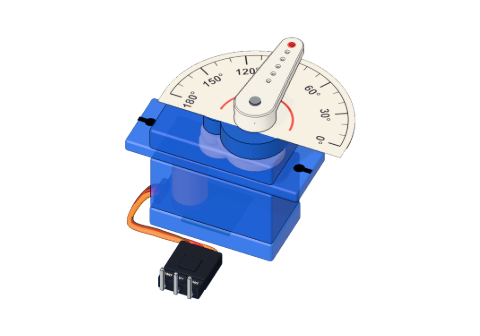 SG90 micro servo
Don't have the parts? Build it in 3D first.
What it is
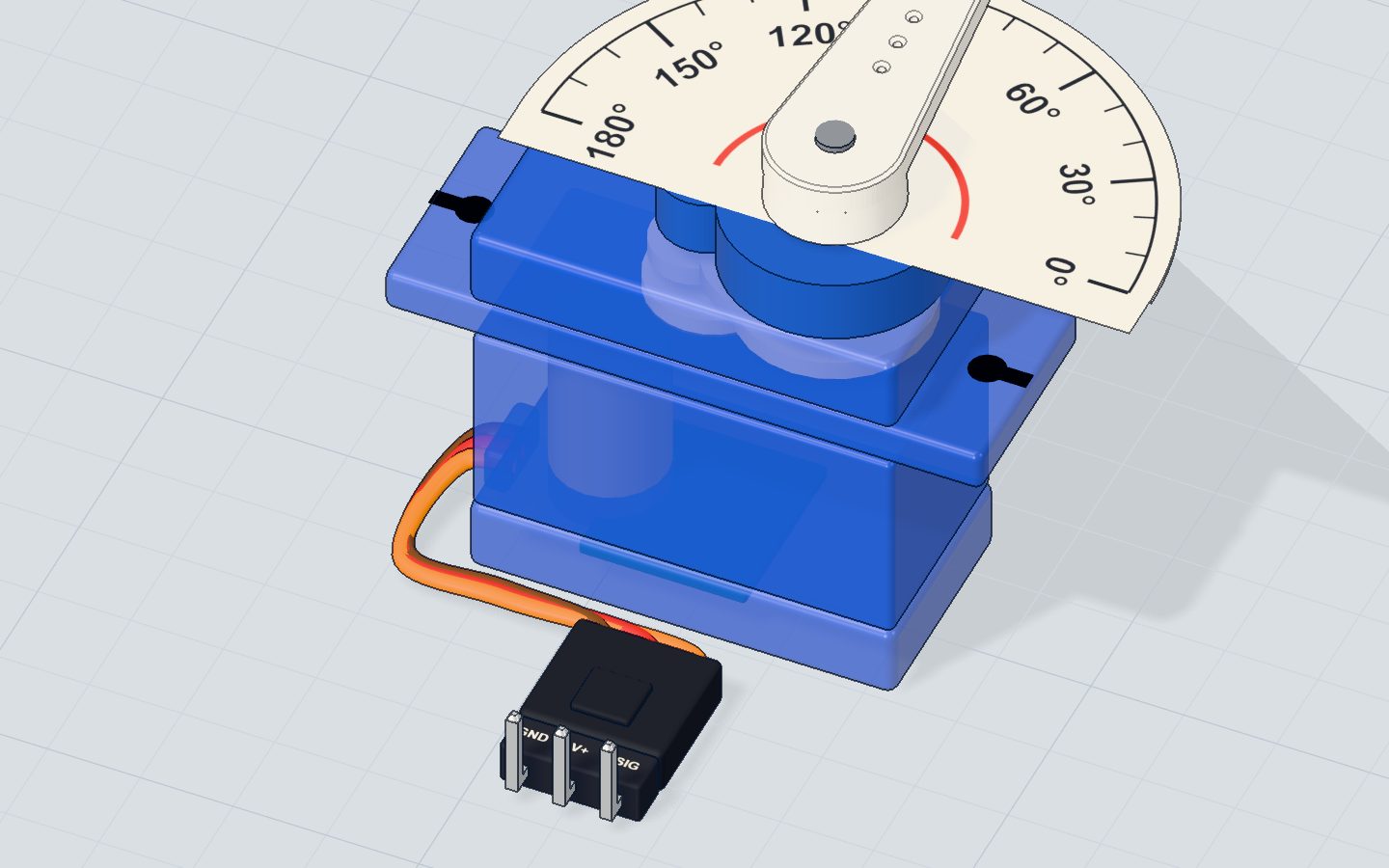
A servo is a motor that knows where it is. Ask it for an angle from 0° to 180°, and it turns there and holds. The one in our kits is the SG90 micro servo: a 9 g plastic box with a white arm on top (the horn) and a three-wire lead — brown GND, red 5 V, orange signal.
Servos steer model cars, move robot arms, open little doors and point needles on gauges. See it in 3D.
How it works inside
Open one up and you find four things:
- A tiny DC motor, spinning fast.
- A row of gears, slowing it down and making it strong.
- A potentiometer (a knob) fixed to the output shaft — it reports the current angle.
- A small control chip.
The chip compares where the arm is (from the potentiometer) with where you asked it to be (from the signal). Too far left? Drive the motor right. Too far right? Drive it left. Just right? Stop. That loop runs all the time, which is why a servo pushes back when you try to turn its arm by hand.
The signal: pulses every 20 ms
The orange wire gets one pulse every 20 ms (50 times a second). The width of the pulse is the angle. Our 3D lab uses the same numbers as the Arduino Servo library:
| Pulse width | Angle |
|---|---|
| 544 µs (about 0.5 ms) | 0° |
| about 1472 µs (≈ 1.5 ms) | 90°, the middle |
| 2400 µs (2.4 ms) | 180° |
Every extra 10.3 µs is about one more degree: (2400 − 544) ÷ 180 ≈ 10.3. You never have to make these pulses yourself — servo.write(angle) does it in the background.
Pins
| Wire | Goes to | What it does |
|---|---|---|
| Brown (GND) | GND | Ground |
| Red (V+) | 5V | Power for the motor and chip |
| Orange (SIG) | A digital pin (pin 9 here) | The pulses that set the angle |
How to wire it to an Arduino
No breadboard needed — three jumper wires go into the servo's plug:
- Brown → GND
- Red → 5V
- Orange → pin 9
Example code
The sketch from the servo project:
#include <Servo.h>
Servo arm;

void setup() {
  arm.attach(9);
  Serial.begin(9600);
}

void loop() {
  for (int angle = 0; angle <= 180; angle += 2) {
    arm.write(angle);
    delay(15);
  }
  Serial.println("180");
  for (int angle = 180; angle >= 0; angle -= 2) {
    arm.write(angle);
    delay(15);
  }
  Serial.println("0");
}
#include <Servo.h>brings in the Servo library, which makes the 20 ms pulses for you.Servo arm;creates one servo and gives it a name.arm.attach(9);— start sending pulses on pin 9.arm.write(angle);— go to this angle, 0–180.delay(15)gives the arm time to move 2° before the next step: 91 steps × 15 ms ≈ 1.4 s for a sweep. Make it smaller to sweep faster.
Common mistakes
- The servo jitters or the board resets. A servo can draw a few hundred milliamps when it starts or is blocked. One SG90 on USB is fine; for several, use a separate 5 V supply with its GND joined to the Arduino's GND.
analogWrite()stopped working on pin 10. On the UNO the Servo library takes over the timer behind pins 9 and 10, so PWM on those pins stops.- It won't go to exactly 0° or 180°. Real servos differ a little. Use
arm.attach(9, min, max)with your own pulse widths, or stay between 5° and 175°. - Nothing moves. Check the signal wire is on the pin named in
attach().
Check yourself
What tells a servo which angle to go to?
About 0.5 ms means 0°, about 1.5 ms the middle, and 2.4 ms 180°.
Which servo wire goes to the Arduino pin?
Orange is the signal; red is 5 V and brown is GND.
What inside the servo tells it where its arm is?
The control chip compares the potentiometer's angle with the one asked for.
Questions people ask
Can a servo turn all the way round?
A normal SG90 stops at 0° and 180°. A continuous rotation servo spins freely instead: write(90) stops it, values below and above set the direction and speed.
How many servos can an Arduino UNO control?
The Servo library can drive up to 12 on a UNO. The limit in practice is power: give them their own 5 V supply.
Does a servo need a resistor or transistor?
No. Its own chip drives the motor; the Arduino only sends a small signal. Just mind the power when you use more than one.
Where it is used
The servo sweeps in the servo project and becomes a needle in the strength tester in the 3D lab. Need exact turns past 360°? Meet the 28BYJ-48 stepper.
Build it yourself in 3DFree, in your browser — no board, no wires, nothing to buy.Open the 3D lab →Your progress stays on this device — no account, nothing sent anywhere.
Last updated 2026-10-29