
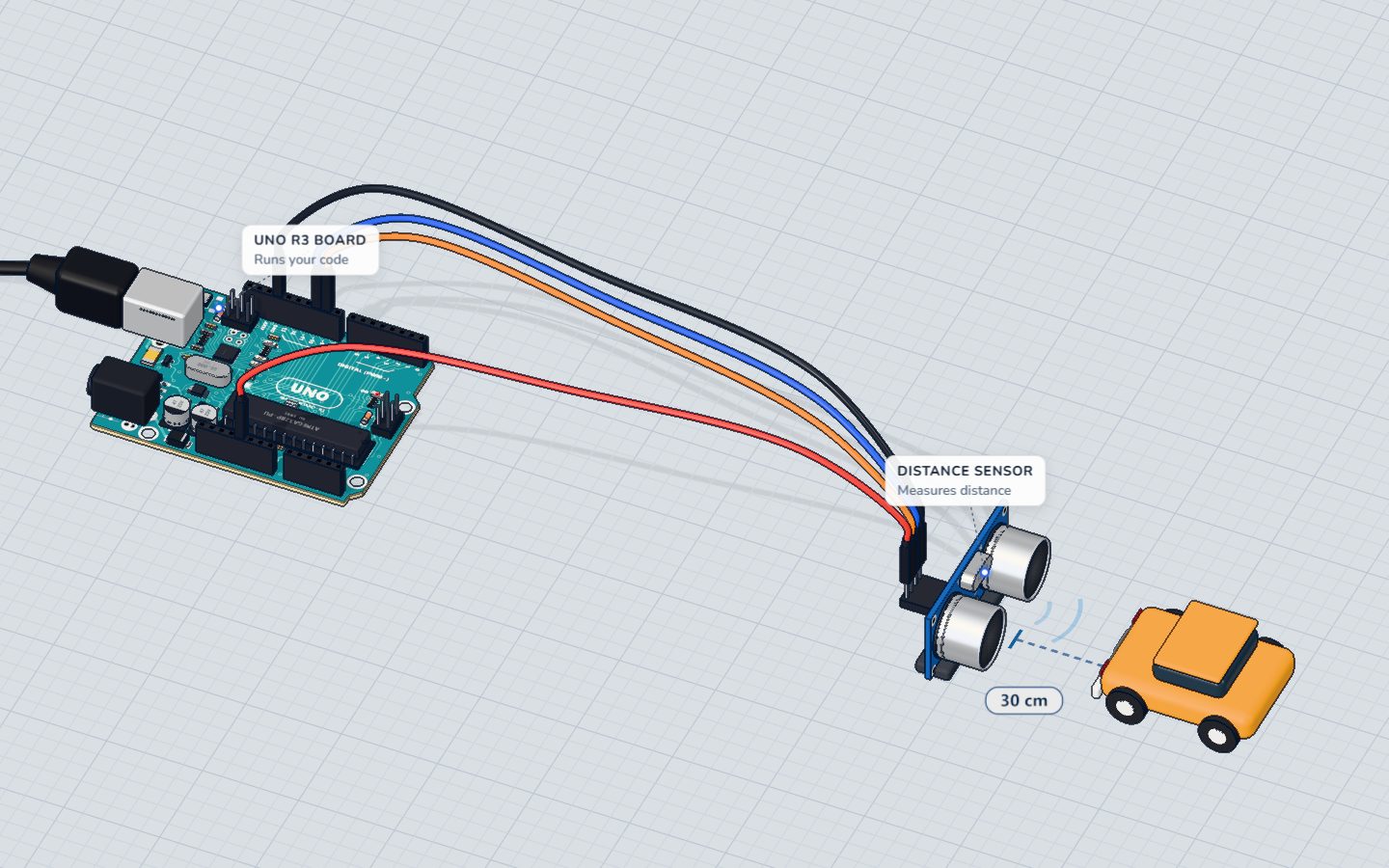
What you need
 Arduino UNO R3 (or a compatible board)
- USB cable (A to B)
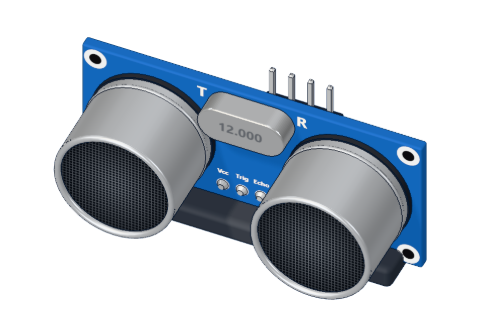 HC-SR04 ultrasonic distance sensor
- Jumper wires (male–male)
Don't have the parts? Build it in 3D first.
What you will build
The Arduino sends out a burst of ultrasound, listens for the echo, and prints the distance in centimetres to the Serial Monitor — about seven times a second. It is the heart of every robot that avoids walls and every car that beeps when you reverse.
How ultrasound measures distance
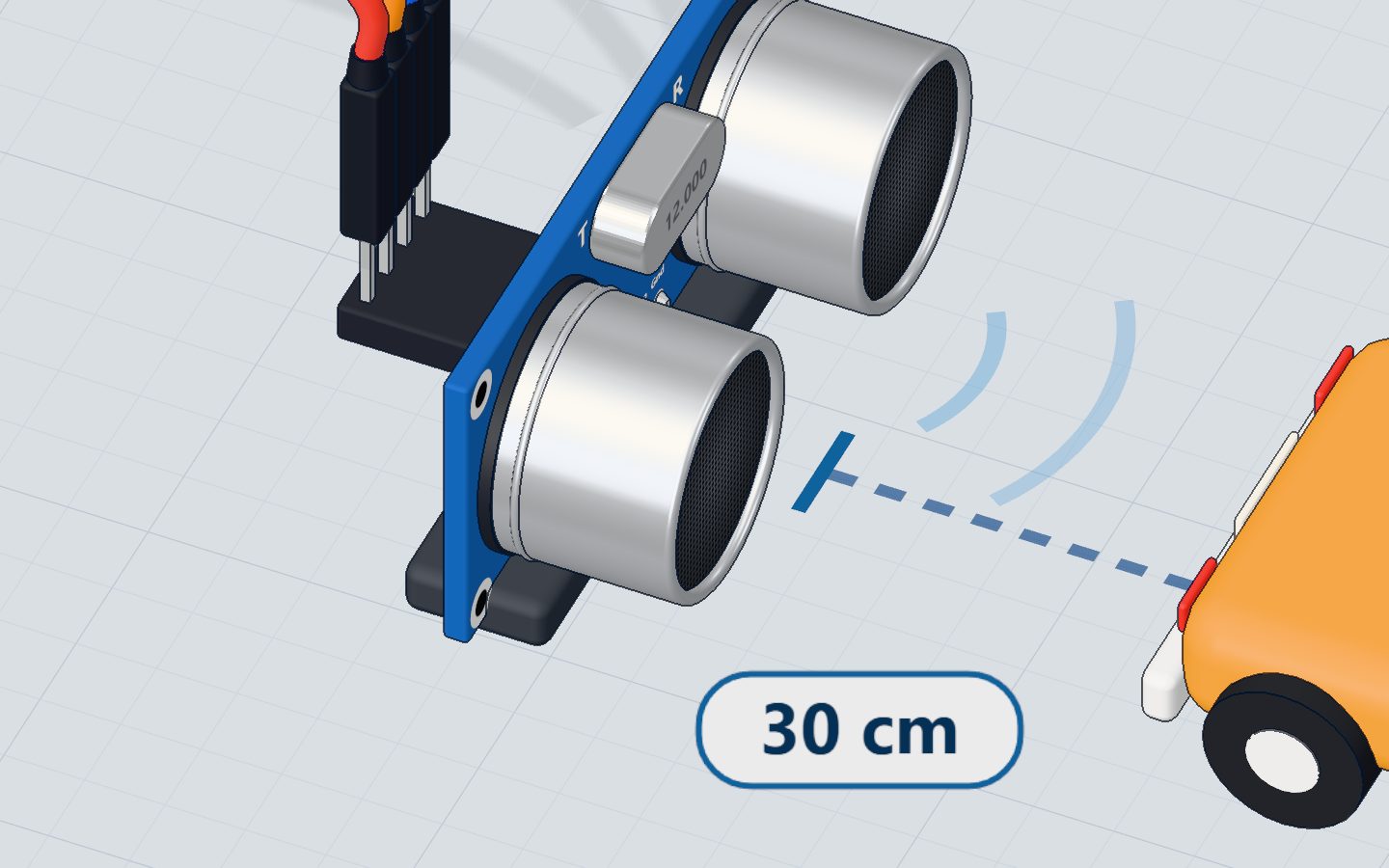
The HC-SR04 has two round "eyes": one is a tiny speaker (the transmitter, T), the other a microphone (the receiver, R). They work at 40 kHz — far too high for people to hear.
- The Arduino sends a short 10 µs pulse to the TRIG pin.
- The sensor answers by sending eight bursts of 40 kHz sound.
- It then holds its ECHO pin HIGH until the sound bounces off something and comes back.
- The Arduino measures how long ECHO stayed HIGH. That time is the distance.
The math: from microseconds to centimetres
Sound travels at about 343 metres per second at room temperature — that is 0.0343 cm per microsecond.
The echo time covers the trip there and back, so we divide by two:
| Step | Formula |
|---|---|
| Distance sound travelled | time × 0.0343 cm/µs |
| Distance to the object | time × 0.0343 ÷ 2 |
| Simplified | time ÷ 58 |
So an echo that lasts 1740 µs means 1740 ÷ 58 = 30 cm.
The wiring
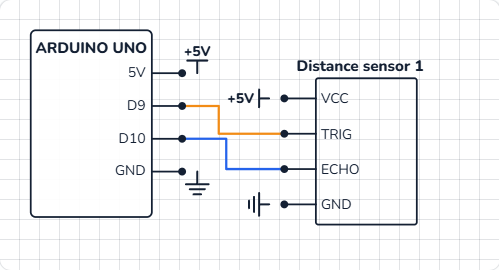
The HC-SR04 has four pins. No breadboard needed: four jumper wires go straight from the sensor to the UNO.
| Sensor pin | Goes to | What it does |
|---|---|---|
| VCC | 5V | Power for the sensor |
| TRIG | Pin 9 | The Arduino starts a measurement |
| ECHO | Pin 10 | The sensor reports the echo time |
| GND | GND | The return path for current |
The code, line by line
const int TRIG = 9;
const int ECHO = 10;

void setup() {
  pinMode(TRIG, OUTPUT);
  pinMode(ECHO, INPUT);
  Serial.begin(9600);
}

void loop() {
  digitalWrite(TRIG, HIGH);       // a 10 µs pulse starts a measurement
  delayMicroseconds(10);
  digitalWrite(TRIG, LOW);
  long echo = pulseIn(ECHO, HIGH); // how long the echo took, in µs
  long cm = echo / 58;
  Serial.print(cm);
  Serial.println(" cm");
  delay(150);
}
const int TRIG = 9;gives pin numbers a name, so the code reads like English and a pin change is one edit.pinMode(TRIG, OUTPUT)— the Arduino drives TRIG.pinMode(ECHO, INPUT)— the sensor drives ECHO, the Arduino only listens.digitalWrite(TRIG, HIGH); delayMicroseconds(10); digitalWrite(TRIG, LOW);makes the 10 µs trigger pulse.delayMicrosecondsis likedelay, but a thousand times finer.pulseIn(ECHO, HIGH)waits for ECHO to go HIGH, times how long it stays HIGH, and returns that time in microseconds.echo / 58turns the time into centimetres (see the math above).longis used because the time can be bigger than anintholds.delay(150)gives the old echoes time to fade before the next measurement.
Common mistakes
- Readings of 0 or very large numbers. Nothing is in range (2 cm to 4 m), the surface is soft (cloth absorbs sound), or it is at a steep angle.
- TRIG and ECHO swapped. The code triggers the wrong pin and
pulseInwaits forever. Check the table above. - Measuring too fast. Without the
delay, an old echo can be mistaken for a new one.
Try these challenges
- Print "Too close!" when the distance is under 10 cm.
- Show the distance in inches too (divide the echo time by 148).
- Add an LED that lights when something is closer than 20 cm — that's a parking sensor. Then compare with the Parking sensor project in the 3D lab.
Check yourself
What does the Arduino measure to know the distance?
The longer the sound takes to come back, the longer ECHO stays HIGH — and the farther the object is.
Why do we divide the echo time by 58 to get centimetres?
343 m/s is 0.0343 cm/µs; there and back is 2 cm per centimetre of distance: 2 ÷ 0.0343 ≈ 58 µs.
How long is the trigger pulse the Arduino sends?
digitalWrite HIGH, delayMicroseconds(10), digitalWrite LOW: a 10 µs pulse starts each measurement.
Questions people ask
How far can the HC-SR04 measure?
About 2 cm to 400 cm. Closer than 2 cm the echo returns before the sensor is ready to listen.
Does it work on a 3.3 V board?
The classic HC-SR04 needs 5 V. For 3.3 V boards look for the HC-SR04P, or use a level shifter on ECHO.
Why divide by 58?
Because sound needs about 58 µs to go 1 cm and come back (29 µs each way).
What's next
Combine sensing and control: use the distance to light a traffic light in the Parking sensor project, or learn exactly how the breadboard joins your parts.
Try this project in 3DRun the code, press the parts, break things safely — free, in your browser.Open in 3D →Your progress stays on this device — no account, nothing sent anywhere.
Last updated 2026-10-29

