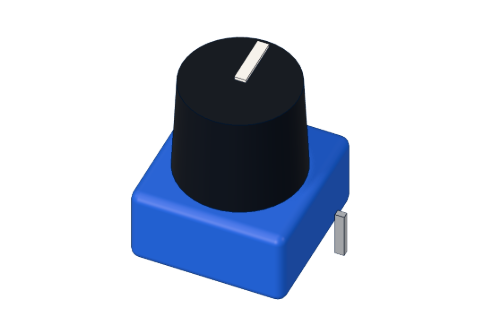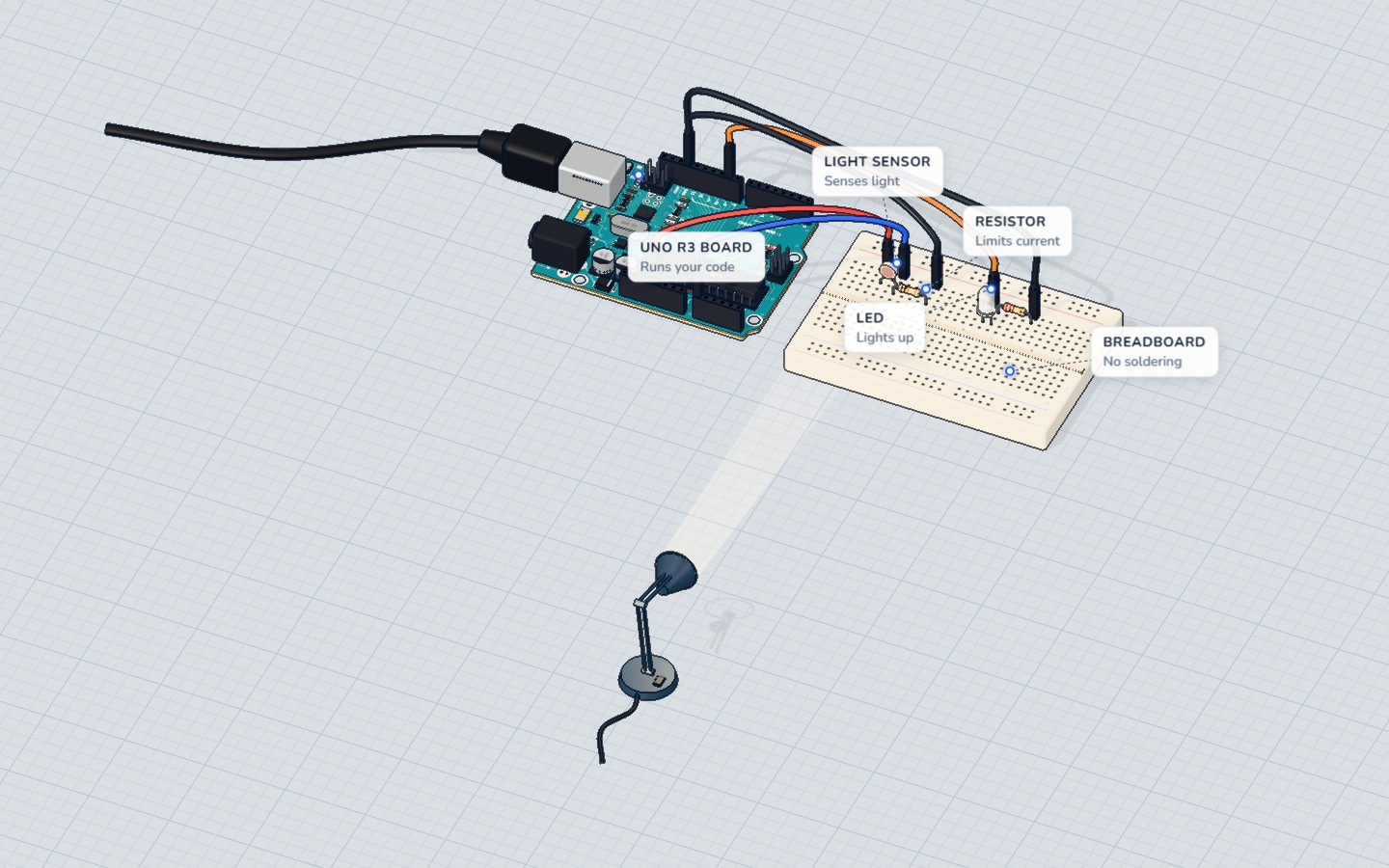
What you need
 Arduino UNO R3 (or a compatible board)
- USB cable (A to B)
 Half-size breadboard
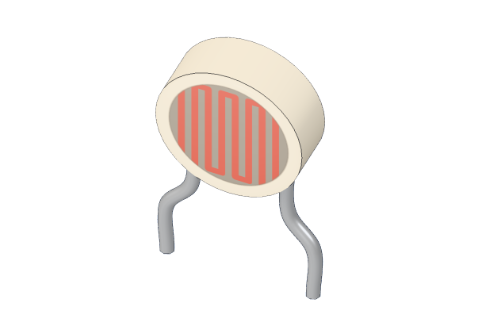 Light sensor (LDR)
 10 kΩ resistor
 5 mm LED
- 220 Ω resistor
- Jumper wires (male–male)
Don't have the parts? Build it in 3D first.
What you will build
A light sensor and a white LED. While the room is bright, the LED stays off. When it gets dark, the LED switches on — dimly at dusk, fully in the dark. The serial monitor prints the light level five times a second, so you can watch it change as you move the lamp.
Street lights, phone screens that dim at night, garden solar lamps and cars whose headlights switch on in a tunnel all use this idea: measure the light, compare it with a threshold, act.
How it works
An LDR (light-dependent resistor) is a resistor that changes with light. In bright light its resistance is low; in the dark it climbs to about 1 MΩ (a million ohms). More in the LDR explained.
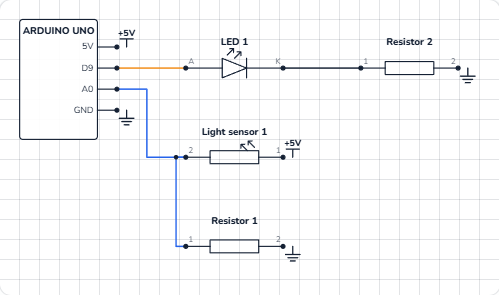
The Arduino cannot measure resistance directly — it measures voltage. So the LDR and a fixed 10 kΩ resistor make a voltage divider: the LDR from 5V to A0, the 10 kΩ from A0 to GND. The two share the 5 V. When the LDR's resistance is low (bright), most of the voltage lands on the 10 kΩ, so A0 is high. When it is high (dark), A0 drops toward 0 V.
The voltage on A0 = 5 V × 10 kΩ ÷ (10 kΩ + the LDR's resistance). With the LDR our 3D lab uses (about 10 kΩ at 10 lux):
| Light | LDR resistance | Voltage on A0 | analogRead() |
|---|---|---|---|
| Desk lamp, 300 lux | ≈ 660 Ω | ≈ 4.7 V | ≈ 960 |
| Dim room, 10 lux | ≈ 10 kΩ | 2.5 V | ≈ 512 |
| Dusk, about 6 lux | ≈ 15.6 kΩ | ≈ 1.95 V | ≈ 400 — the switch point |
| Very dark, 1 lux | ≈ 63 kΩ | ≈ 0.68 V | ≈ 140 |
| Total darkness | ≈ 1 MΩ | ≈ 0.05 V | ≈ 10 |
The sketch says "dark" below 400. Then it maps the reading to a brightness: at 400 the LED glows at level 30 (dim); at 0 it glows at 255 (full). The white LED (about 3.0 V) takes at most (5 − 3.0) V ÷ 220 Ω ≈ 9 mA.
The wiring
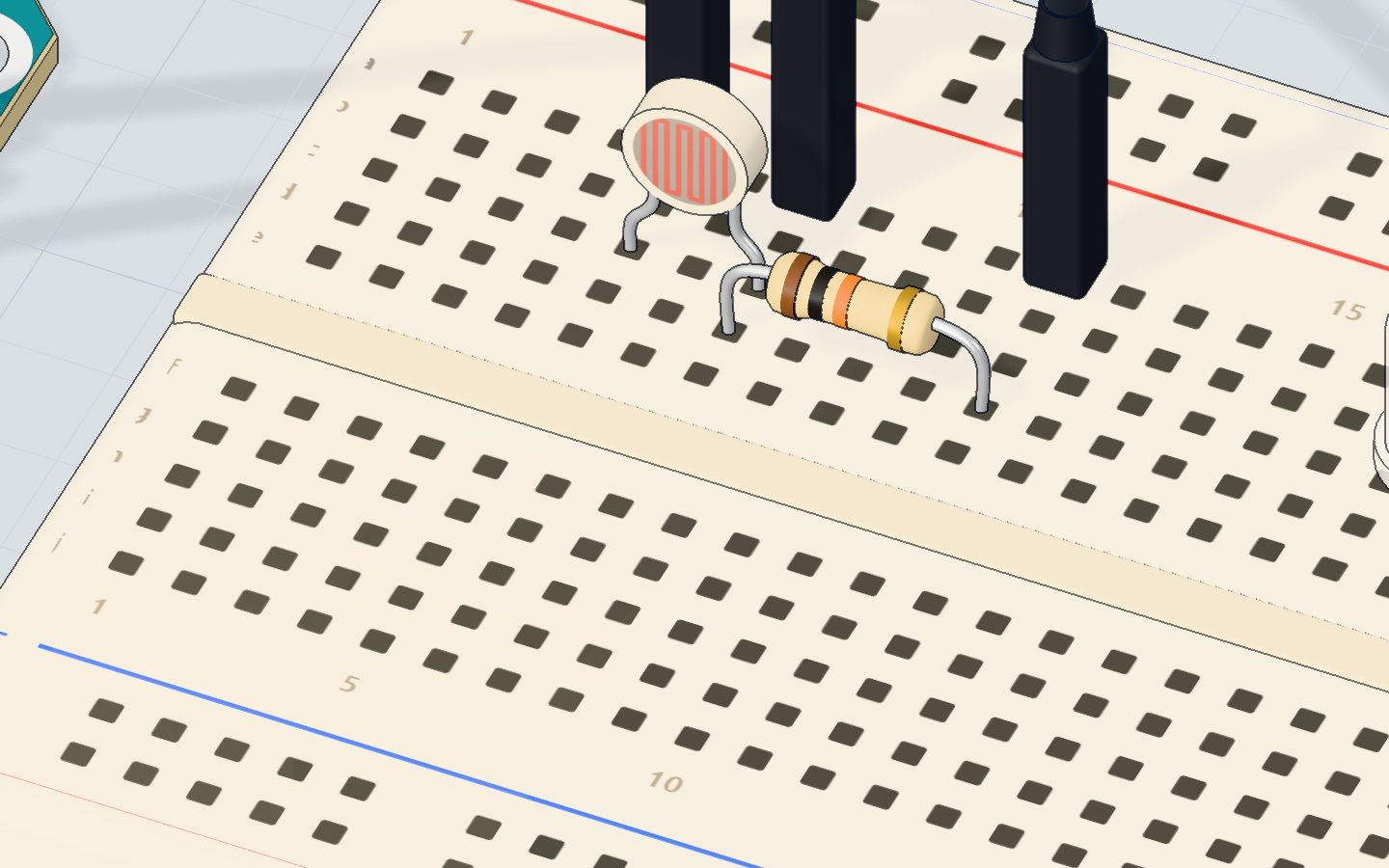
- Push the LDR in with its legs in 5c and 7c (either way round).
- Put the 10 kΩ resistor from 7d to 11d.
- Jumper wires: 5V → 5a, 7a → A0, 11a → GND.
- Push the white LED in with its long leg (+) in 18d and its short leg in 19d.
- Put the 220 Ω resistor from 19b to 23b.
- Jumper wires: pin 9 → 18a, 23a → GND.
| Part pin | Goes to | What it does |
|---|---|---|
| LDR leg (5c) | 5V | The top of the divider |
| LDR leg (7c) and 10 kΩ | A0 | The middle of the divider: the light level |
| 10 kΩ other leg (11d) | GND | The bottom of the divider |
| LED long leg (+) | Pin 9 (~) | PWM sets the night light's brightness |
| LED short leg (−) | 220 Ω → GND | Limits the current |
The code, line by line
const int SENSOR = A0;
const int LED = 9;
const int DARK = 400;   // below this it counts as dark

void setup() {
  pinMode(LED, OUTPUT);
  Serial.begin(9600);
}

void loop() {
  int light = analogRead(SENSOR);   // brighter = higher
  Serial.print("light ");
  Serial.println(light);
  if (light < DARK) {
    // the darker it is, the brighter the night light
    analogWrite(LED, map(light, 0, DARK, 255, 30));
  } else {
    analogWrite(LED, 0);
  }
  delay(200);
}
const int DARK = 400;is the threshold: the number where "light" becomes "dark". Giving it a name makes it easy to tune.analogRead(SENSOR)reads the divider: 0–1023, brighter = higher.if (light < DARK) { … } else { … }— the program makes a decision. If it is darker than 400, run the first block; otherwise, run the second.map(light, 0, DARK, 255, 30)turns the range 0–400 into 255–30, backwards: the darker (smaller) the reading, the bigger the brightness. At 140 it gives about 177.analogWrite(LED, 0)keeps the LED off while it is bright.delay(200)checks five times a second.
Common mistakes
- The LED is always on, or never. Your room is brighter or darker than the lab's. Watch the serial monitor in your normal light and in the dark, and set
DARKbetween the two numbers. - The reading barely changes. The 10 kΩ is missing or in the wrong strip, so there is no divider. A0 must sit between the LDR and the 10 kΩ.
- It works backwards. The LDR and the resistor are swapped (see the tip above). Swap them back, or change
<to>. - The LED flickers at dusk. The reading wobbles around 400. Use two thresholds: on below 380, off above 420 (this is called hysteresis).
Try these challenges
- Print
"dark"or"bright"next to the number. - Change
400to a different threshold and find the value that suits your room. - Make the LED simply on or off with
digitalWrite, withoutmap(). Which do you prefer? - In the 3D lab, drag the desk lamp away from the sensor, or set the light in lux in the sensor's window, and compare the numbers with the table above.
Check yourself
What happens to an LDR's resistance when it gets darker?
Darkness raises the resistance, to about 1 MΩ in total darkness.
Why is the 10 kΩ resistor needed?
analogRead() measures voltage. The divider turns the LDR's resistance into a voltage.
With this sketch, what does the LED do when analogRead() gives 700?
700 is not below DARK (400), so the else block runs: analogWrite(LED, 0).
Questions people ask
How do I connect an LDR to an Arduino?
Put the LDR between 5V and an analog pin (A0), and a 10 kΩ resistor between that pin and GND. analogRead(A0) then gives a higher number in brighter light.
What resistor should I use with an LDR?
Pick one close to the LDR's resistance in the light you care about. 10 kΩ is a good all-round choice for a typical LDR in a room; a bigger one makes it more sensitive in the dark.
Can an LDR measure light in lux?
Only roughly. LDRs differ a lot from part to part and react slowly. They are great for "brighter or darker" decisions; for real lux values use a light sensor module made for it.
Why does my night light flicker on and off?
The reading hovers right at the threshold, so tiny changes switch it back and forth. Use two thresholds (switch on below one, off above another) or average a few readings.
What's next
You have used light as an input. Next, sense distance with sound you cannot hear: the HC-SR04 ultrasonic sensor.
Try this project in 3DRun the code, press the parts, break things safely — free, in your browser.Open in 3D →Your progress stays on this device — no account, nothing sent anywhere.
Last updated 2026-10-29