
What you need
 Arduino UNO R3 (or a compatible board)
- USB cable (A to B)
 Half-size breadboard
- Jumper wires (male–male)
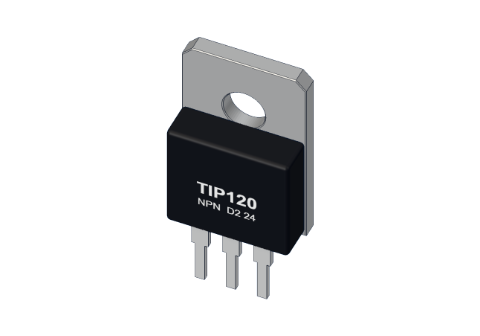 TIP120 transistor
 1 kΩ resistor
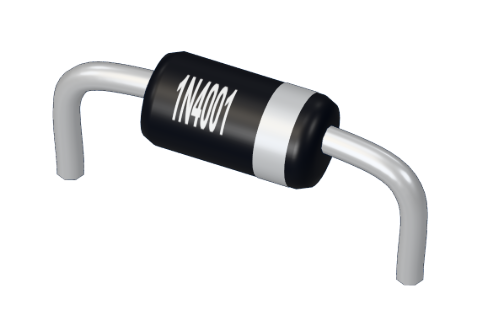 1N4001 diode
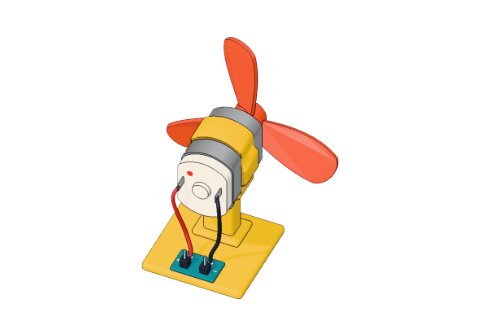 Small DC motor
Don't have the parts? Build it in 3D first.
What it is
A transistor is a switch worked by a small current. The TIP120 is a strong one: a black block with a metal tab (the TO-220 package) and three legs. A few milliamps into its base let up to 5 A flow from its collector to its emitter — enough for motors, fans and strips of lights.
Why bother? An Arduino UNO pin can give about 20 mA (40 mA is the absolute limit). A small hobby motor wants about 500 mA. That is 25 times too much. The pin controls the transistor; the transistor carries the motor's current straight from the 5 V supply. See it in 3D.
How it works
The TIP120 is an NPN Darlington: two transistors inside one case, the first one driving the second. Each multiplies current, so together a tiny base current controls a big collector current — the data sheet promises a gain of at least 1000.
It switches on once the base is about 1.4 V above the emitter (two transistors, about 0.7 V each). Below that, the collector–emitter path is closed: no current, the motor stops.
The maths in the motor project
| Step | Numbers |
|---|---|
| Pin 6 HIGH | 5 V |
| Across the 1 kΩ base resistor | 5 V − 1.4 V = 3.6 V |
| Base current | 3.6 V ÷ 1000 Ω = 3.6 mA — easy for a pin |
| Motor current | 5 V ÷ (8 Ω motor + about 2 Ω transistor) = 0.5 A |
So 3.6 mA controls 500 mA. In our 3D lab the TIP120 behaves like about 2 Ω when fully on, so it eats roughly 1 V and warms up a little — real TIP120s do the same.
Pins
Hold it with the printed face towards you and the legs down. From left to right:
| Pin | Goes to | What it does |
|---|---|---|
| B (base) | A PWM pin, through 1 kΩ | The control input |
| C (collector) | The motor's − wire | The big current comes in here |
| E (emitter) | GND | The big current leaves here |
The metal tab is joined to the collector — don't let it touch other wires.
How to wire it to an Arduino
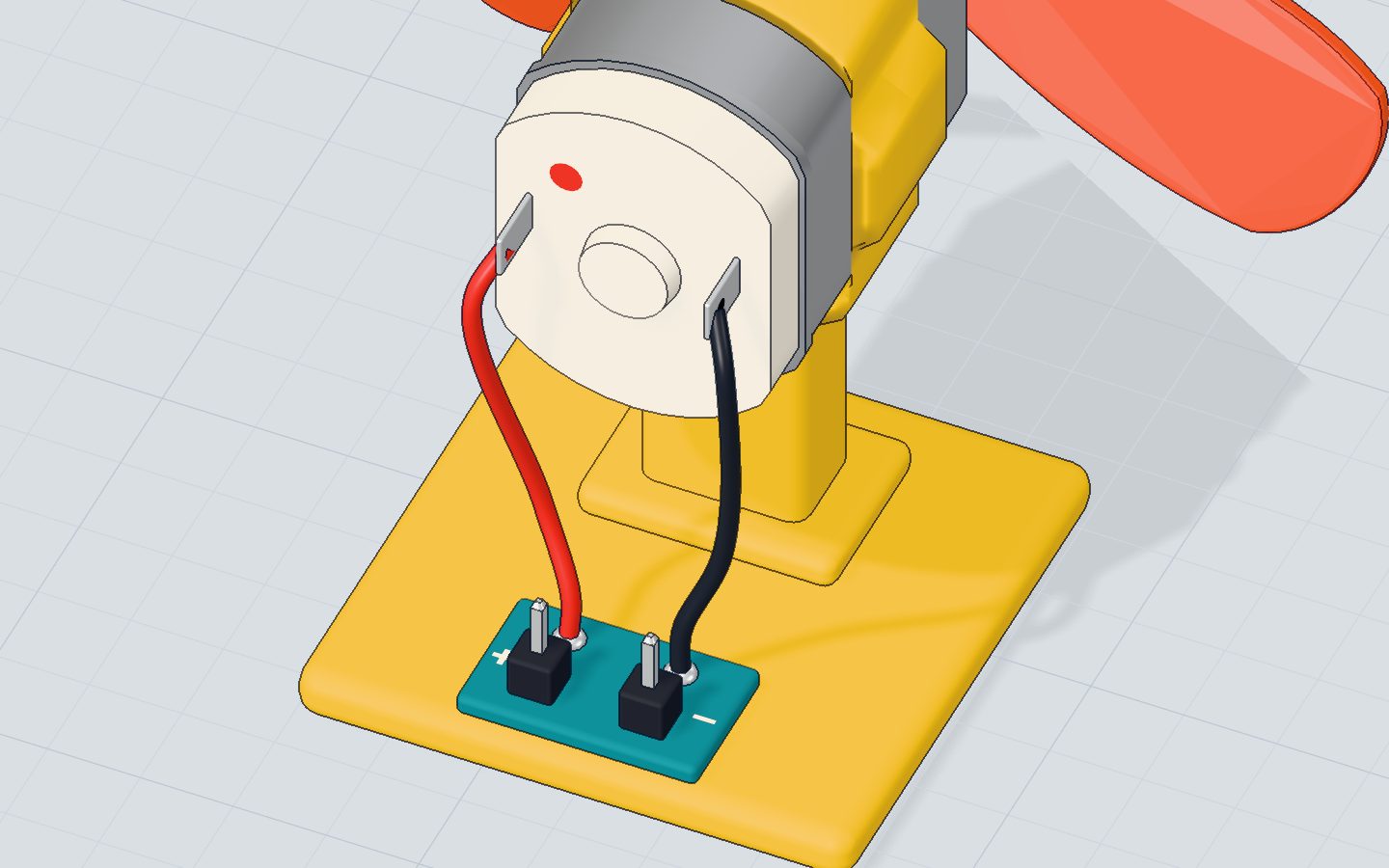
This is the motor project's wiring, all on one breadboard:
- Push the TIP120 into three strips: B, C, E.
- A 1 kΩ resistor joins pin 6's strip to the base.
- The motor's + goes to 5V; its − goes to the collector.
- The emitter goes to GND.
- A 1N4001 diode goes across the motor: anode on the collector, band on 5 V. It catches the spike when the motor stops — see what a diode does.
Example code
The transistor follows pin 6. analogWrite() switches it on and off very fast, and the motor feels the average:
const int MOTOR = 6;   // a ~ pin, through the transistor

void setup() {
  pinMode(MOTOR, OUTPUT);
  Serial.begin(9600);
}

void loop() {
  for (int speed = 0; speed <= 255; speed += 15) {
    analogWrite(MOTOR, speed);
    Serial.print("speed ");
    Serial.println(speed);
    delay(150);
  }
  delay(1500);
  analogWrite(MOTOR, 0);
  Serial.println("stop");
  delay(1500);
}
const int MOTOR = 6;— pin 6 has a ~, so it can do PWM. A pin without ~ could only switch the motor fully on or off.analogWrite(MOTOR, speed)— 0 keeps the transistor off, 255 keeps it on, 128 has it on half the time: about half speed. Learn more in PWM explained.
Common mistakes
- Motor straight on the pin. 5 V across the pin's own resistance and the 8 Ω motor is about 150 mA — far over the 40 mA limit. In the 3D lab the pin burns. Always go through the transistor.
- No base resistor. The pin pushes too much current into the base. Use 1 kΩ.
- Collector and emitter swapped. The TIP120 does not switch properly. Check the B-C-E order with the printed face towards you.
- No diode. It works — until a spike kills the transistor.
Check yourself
Which TIP120 leg goes to GND?
In an NPN low-side switch the emitter goes to GND and the load sits between 5 V and the collector.
Why is there a 1 kΩ resistor before the base?
(5 − 1.4) V ÷ 1000 Ω ≈ 3.6 mA, well inside what a pin can give.
About how much current does the fan motor draw at full speed?
5 V ÷ (8 Ω + 2 Ω) = 0.5 A, much more than a pin's 20 mA.
Questions people ask
Can I use a 2N2222 instead of a TIP120?
For a small motor under about 500 mA, a 2N2222 can work, but it runs close to its limit and gets hot. The TIP120 has plenty of margin, which is why beginner kits use it.
Why does my TIP120 get hot?
When fully on it still drops about 1 V or more, and that times the current is heat: 1 V × 0.5 A is half a watt. That is fine; for several amps, add a heatsink to the tab.
Is the TIP120 a MOSFET?
No. It is a bipolar Darlington transistor, controlled by current. A logic-level MOSFET is controlled by voltage and wastes less power, but the TIP120 is simple and hard to break.
Where it is used
The TIP120 drives the fan in the motor project and switches it on in the thermostat. Next, look inside the part it drives: the DC motor.
Build it yourself in 3DFree, in your browser — no board, no wires, nothing to buy.Open the 3D lab →Your progress stays on this device — no account, nothing sent anywhere.
Last updated 2026-10-29