
The short answer
- Voltage (V, volts) is the push — how hard the electricity is pushed.
- Current (I, amps) is the flow — how much electricity moves through the wire each second.
- Resistance (R, ohms, Ω) is the narrowing — how much a part holds the flow back.
They are tied together by Ohm's law:
V = I × R — or, turned around, I = V ÷ R and R = V ÷ I.
The water analogy
Imagine a water tank on a roof, a pipe, and a tap.
- The height of the water in the tank is the voltage. A taller tank pushes harder.
- The amount of water flowing through the pipe is the current.
- A narrow section of pipe is a resistance. It slows the flow down.
Raise the tank (more volts) and more water flows. Make the pipe narrower (more ohms) and less water flows. That is Ohm's law in one sentence.
The units you will meet with Arduino
| Quantity | Symbol | Unit | Typical Arduino values |
|---|---|---|---|
| Voltage | V | volt (V) | 5 V from a pin or the 5V pin, 3.3 V from the 3.3V pin |
| Current | I | amp (A) | an LED: 10–20 mA; a pin's limit: 40 mA |
| Resistance | R | ohm (Ω) | 220 Ω for an LED, 10 kΩ for a button |
1 mA (milliamp) = 0.001 A, so 20 mA = 0.02 A. 1 kΩ (kilo-ohm) = 1000 Ω, so 10 kΩ = 10 000 Ω.
Worked example: the resistor for an LED
An LED is not a normal resistor: it "uses up" a fixed voltage, called its forward voltage, and lets through as much current as it can. So we put a resistor in the loop to set the current. Here are the forward voltages our 3D lab uses:
| LED colour | Forward voltage |
|---|---|
| Red | 1.9 V |
| Yellow | 2.0 V |
| Green | 2.1 V |
| Blue, white | 3.0 V |
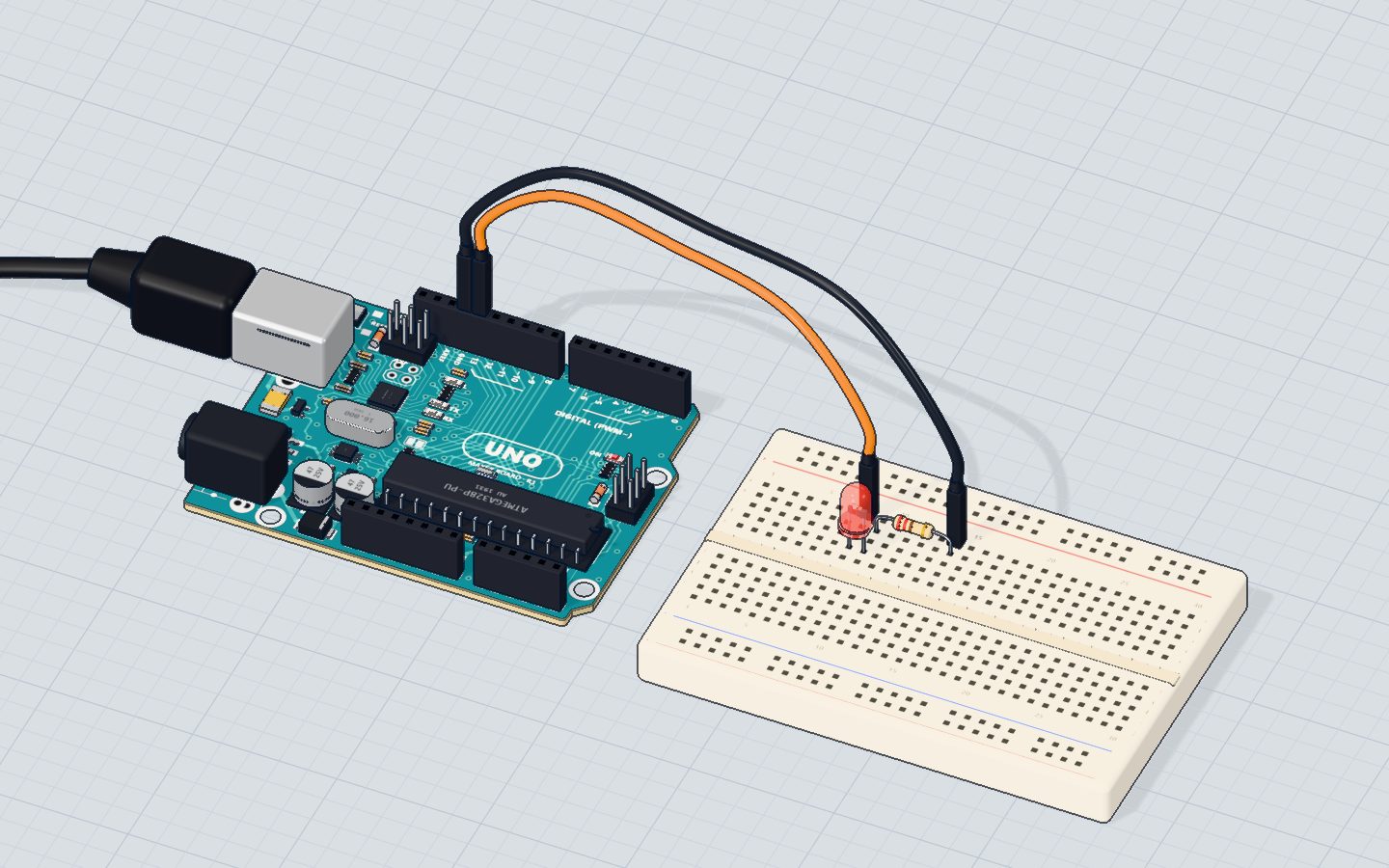
A red LED on a 5 V pin with a 220 Ω resistor (the Blink project):
| Step | Working | Result |
|---|---|---|
| Voltage left for the resistor | 5 V − 1.9 V | 3.1 V |
| Current (I = V ÷ R) | 3.1 V ÷ 220 Ω | ≈ 0.014 A = 14 mA |
14 mA is bright and safe: an LED is happy up to about 20 mA, and the pin's limit is 40 mA.
Choosing a resistor yourself. Say you want about 15 mA through a blue LED:
| Step | Working | Result |
|---|---|---|
| Voltage left for the resistor | 5 V − 3.0 V | 2.0 V |
| Resistance (R = V ÷ I) | 2.0 V ÷ 0.015 A | ≈ 133 Ω |
| Nearest common value (round up) | — | 150 Ω |
Always round up to the next value you have — a little dimmer is fine, a little too much current is not. 220 Ω also works and gives about 9 mA.
What if you forget the resistor? Then almost nothing limits the current. In our lab's model the pin's own resistance (about 25 Ω) and the LED's (about 15 Ω) are all that is left: (5 − 1.9) V ÷ 40 Ω ≈ 78 mA. Our lab burns an LED above 50 mA — so it pops.
Power: why resistors get warm
Power is how much energy a part turns into heat (or light) each second: P = V × I, in watts (W). The 220 Ω resistor above: 3.1 V × 0.014 A ≈ 0.044 W. A normal small resistor is rated ¼ W (0.25 W), so it stays cool. A motor at 5 V and 0.5 A uses 2.5 W — far more than a pin could ever give, which is why motors need a transistor (see the DC motor project).
Check yourself
In the water analogy, what is the current?
Current is the flow; voltage is the push (tank height); resistance is the narrowing.
A resistor has 3 V across it and 0.01 A through it. What is its resistance?
R = V ÷ I = 3 ÷ 0.01 = 300 Ω.
You calculate 133 Ω for an LED. Which resistor should you use?
Round up: slightly less current is always safe.
Questions people ask
What is Ohm's law in simple words?
The current through a part equals the voltage across it divided by its resistance: I = V ÷ R. Double the voltage and the current doubles; double the resistance and the current halves.
Why does an LED need a resistor with Arduino?
An LED has almost no resistance once it lights, so on its own it would draw far too much current and burn — and could damage the pin. The resistor limits the current to a safe 10–20 mA.
How many milliamps can an Arduino pin give?
The ATmega328P's absolute limit is 40 mA per pin, and about 20 mA is a comfortable working value. Anything bigger — motors, strips of LEDs — needs a transistor or a separate supply.
Is a higher voltage more dangerous than a higher current?
It is the current that does the damage, but a higher voltage pushes more current through the same resistance. Arduino's 5 V is harmless to touch; mains electricity is not — never connect Arduino projects to it.
Build it yourself in 3DFree, in your browser — no board, no wires, nothing to buy.Open the 3D lab →Your progress stays on this device — no account, nothing sent anywhere.
Last updated 2026-10-29

