What you need
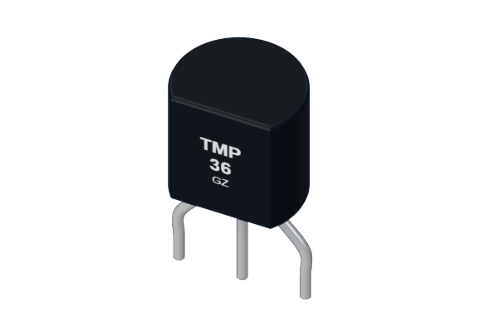 TMP36 temperature sensor
 Arduino UNO R3 (or a compatible board)
 Half-size breadboard
- Jumper wires (male–male)
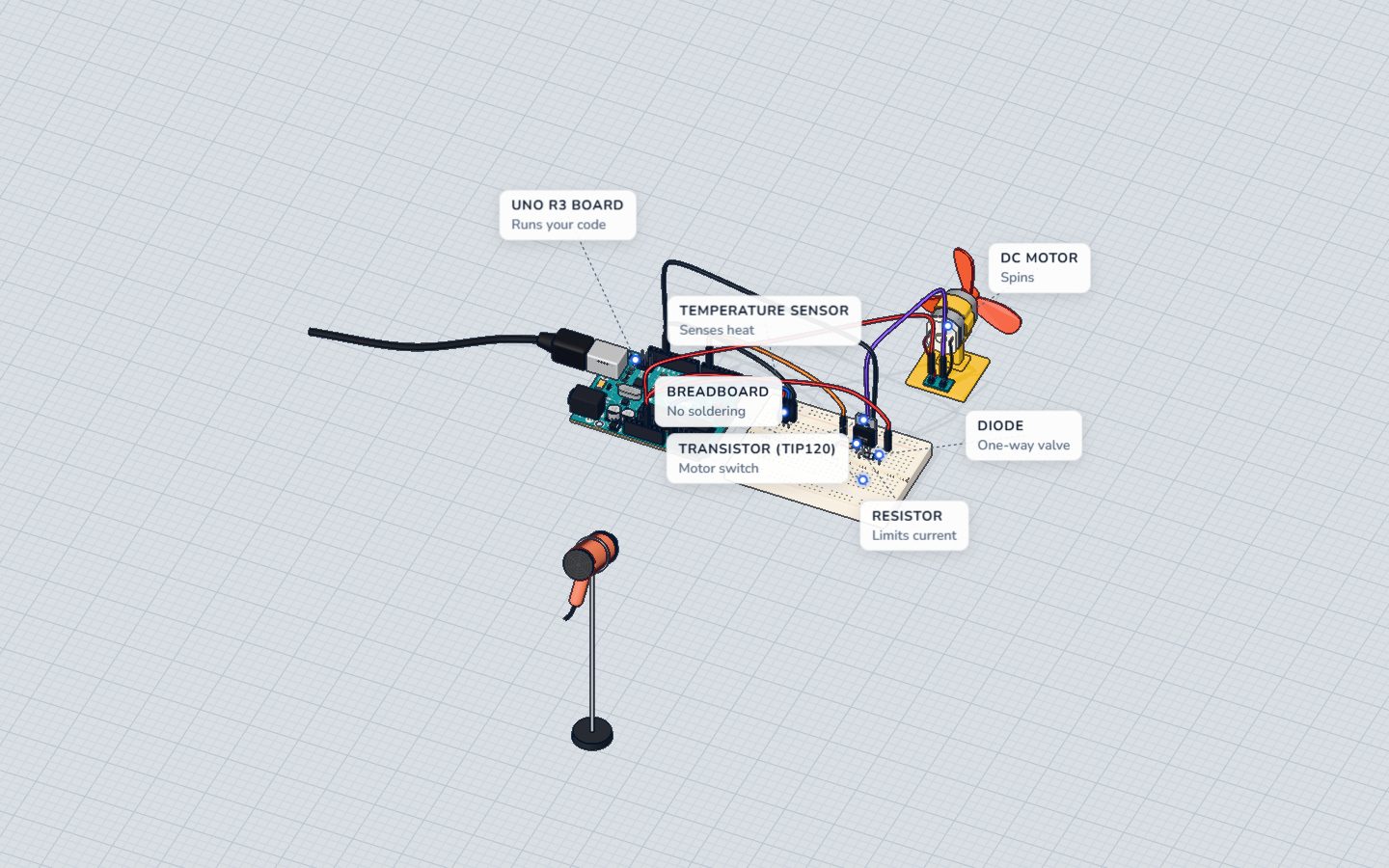
Don't have the parts? Build it in 3D first.
What it is
The TMP36 is a small temperature sensor in a black plastic body with one flat face and three legs. Give it power and its middle leg puts out a voltage that follows the temperature. Read that voltage on an analog pin, and one line of code turns it into degrees Celsius. See it in 3D.
How it works inside
Inside is a tiny chip. It uses a property of silicon junctions — the voltage across them changes in a very regular way with temperature — and amplifies it into a neat, simple output:
- 0.5 V at 0 °C,
- plus 10 mV (0.01 V) for every degree warmer.
The 0.5 V start is there so that temperatures below zero still give a positive voltage: −40 °C is 0.1 V.
| Temperature | Output voltage | analogRead() on 5 V |
|---|---|---|
| 0 °C | 0.50 V | about 102 |
| 22 °C (room) | 0.72 V | about 147 |
| 25 °C | 0.75 V | about 153 |
| 30 °C | 0.80 V | about 164 |
| 60 °C | 1.10 V | about 225 |
The formula
Two steps, both in the code below:
- Reading to volts: volts = reading × 5.0 ÷ 1023
- Volts to degrees: °C = (volts − 0.5) × 100
Example: a reading of 153 → 153 × 5 ÷ 1023 = 0.748 V → (0.748 − 0.5) × 100 ≈ 24.8 °C.
The pins
Hold it with the flat face towards you and the legs down. From left to right:
| Pin | What it does |
|---|---|
| VS (+Vs) | 5V |
| OUT (Vout) | To an analog pin, e.g. A0 |
| GND | Ground |
| Spec | Value |
|---|---|
| Range | −40 … 125 °C |
| Output | 10 mV/°C, 750 mV at 25 °C |
| Supply | 2.7 V or more (5V is fine) |
How to wire it to an Arduino
This is the sensor's side of the thermostat project:
- Push the TMP36 into the breadboard, flat face towards you, each leg in its own row.
- 5V → the left leg (VS).
- The middle leg (OUT) → A0.
- The right leg → GND.
No resistor is needed: the TMP36 makes its own voltage.
Example code
The exact code of the thermostat. The fan sits on pin 6 behind a transistor; the sensor part is just the first two lines of loop():
const int SENSOR = A0;
const int FAN = 6;
bool fanOn = false;

void setup() {
  pinMode(FAN, OUTPUT);
  Serial.begin(9600);
}

void loop() {
  float volts = analogRead(SENSOR) * 5.0 / 1023.0;
  float celsius = (volts - 0.5) * 100.0;
  if (celsius > 30) fanOn = true;
  if (celsius < 28) fanOn = false;
  analogWrite(FAN, fanOn ? 220 : 0);
  Serial.print(celsius, 1);
  Serial.println(fanOn ? " C  fan ON" : " C  fan off");
  delay(300);
}floatholds numbers with decimals;intwould cut 0.748 V to 0.5.0 / 1023.0— the.0matters: it makes the division keep its decimals.(volts - 0.5) * 100.0is the TMP36 formula.- Two limits, 30 °C and 28 °C (hysteresis): the fan switches on above 30 and off only below 28, so it does not flick on and off at 29.9.
Serial.print(celsius, 1)prints one decimal place.
Common mistakes
- Sensor in backwards. Very hot and ruined. Flat face towards you: 5V, A0, GND.
- Readings around −50 °C. The OUT leg is not reaching A0, so the pin reads close to 0. Check that wire.
- Integer maths.
analogRead(A0) * 5 / 1023drops the decimals — use5.0 / 1023.0. - It reads too warm. The sensor sits next to something hot, like a busy regulator or a lamp. Move it away.
Check yourself
What voltage does a TMP36 give at 20 °C?
0.5 V + 20 × 0.01 V = 0.70 V.
Holding the flat face towards you, which leg goes to A0?
Left to right: VS (5V), OUT (A0), GND.
Why does the thermostat use two limits, 30 °C and 28 °C?
With a gap between on and off (hysteresis), small wobbles do not switch the fan.
Questions people ask
How do I convert TMP36 readings to Celsius on Arduino?
Turn the reading into volts with reading * 5.0 / 1023.0, then use (volts - 0.5) * 100.0. For Fahrenheit, multiply the Celsius value by 9 ÷ 5 and add 32.
Why is my TMP36 getting hot?
It is almost certainly in backwards, with 5V on its GND leg. Unplug the USB at once, let it cool, and turn it round — flat face towards you: 5V, OUT, GND.
How accurate is the TMP36?
Within about 1–2 °C, and the UNO reads it in steps of about 0.5 °C. That is plenty for a thermostat or a weather display, not for a fever thermometer.
Can I use a TMP36 with 3.3 V?
Yes, it works from 2.7 V up, and its output is the same: 0.5 V at 0 °C, 10 mV per degree. Keep 5.0 in the formula — that number is the UNO's analog reference, not the sensor's supply.
Where it is used
Build the Arduino thermostat, where the TMP36 switches a fan through a transistor.
Build it yourself in 3DFree, in your browser — no board, no wires, nothing to buy.Open the 3D lab →Your progress stays on this device — no account, nothing sent anywhere.
Last updated 2026-10-29