
The short answer
A short circuit is a path with (almost) no resistance between a supply and ground — or between two points that should not meet. With nothing to hold it back, the current shoots up (remember Ohm's law: I = V ÷ R, and R is nearly zero), and something gets hot and fails.
The limits to remember on an Arduino UNO:
| Thing | Safe | Damage |
|---|---|---|
| One I/O pin | up to about 20 mA | 40 mA is the absolute maximum |
| A normal 5 mm LED | 10–20 mA | above about 50 mA it burns (our lab's limit) |
| Whole chip, all pins together | — | about 200 mA |
| 5V pin to GND | never | a dead short |
Mistake 1: an LED with no resistor
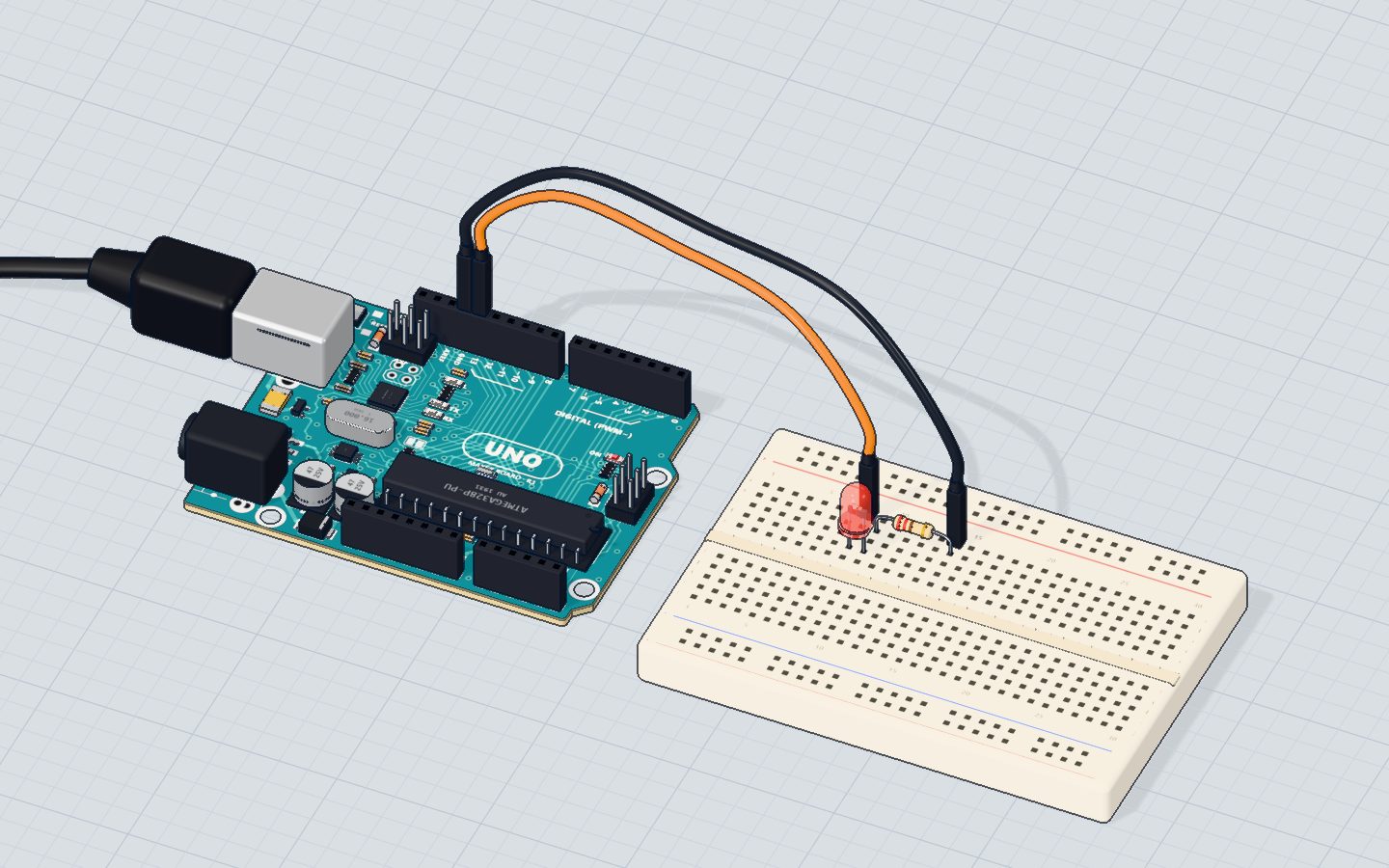
An LED has almost no resistance once it lights, so it must have a resistor in series (in the same loop). Here is the Blink circuit worked out both ways, with the numbers our 3D lab uses (a red LED drops 1.9 V; a pin has about 25 Ω inside it; the lit LED itself about 15 Ω):
| With 220 Ω | Without a resistor | |
|---|---|---|
| Voltage left over | 5 − 1.9 = 3.1 V | 3.1 V |
| Resistance in the loop | 220 + 25 + 15 = 260 Ω | 25 + 15 = 40 Ω |
| Current | ≈ 12 mA ✓ | ≈ 78 mA ✗ |
78 mA is more than the LED's 50 mA and the pin's 40 mA. The LED pops — and on a real board the pin can be damaged too. Fix: put 150 Ω–1 kΩ in series with every LED; Ohm's law picks the value.
Mistake 2: a pin wired straight to GND or 5V
If a pin is set as an OUTPUT and driven HIGH while a wire joins it to GND, only the pin's own small resistance is left:
| Working | Result | |
|---|---|---|
| Pin HIGH, wired to GND | 5 V ÷ 25 Ω | ≈ 200 mA ✗ |
Five times the limit. The same happens with a pin set LOW and wired to 5V. In our lab, the pin is marked damaged, with a message like "Pin D7 was damaged: it was wired straight to GND. Remove that wire."
Fix: never connect a pin directly to GND or 5V. A button between a pin and 5V is fine — as long as the pin is an input and has a pull-down resistor.
Mistake 3: 5V wired to GND
The worst one. A wire (or a part with both legs in one breadboard strip) between 5V and GND shorts the board's power supply. It does not need any code — it happens the moment the USB cable goes in.
On a real UNO, a resettable fuse on the USB power usually cuts out at about 500 mA, and your computer may switch the port off; on the barrel jack, the regulator gets very hot. In our lab the board burns: "Short circuit! 5V is wired straight to GND." — then Replace board. The same goes for 3.3V to GND and for two supplies wired together.
Fix: before plugging in, follow the red (5V) and black (GND) wires with your finger, and make sure the breadboard's + and − rails are never bridged.
Mistake 4: two outputs fighting
Two pins joined by a wire, one set HIGH and one LOW, are a short between them:
| Working | Result | |
|---|---|---|
| Pin A HIGH, pin B LOW | 5 V ÷ (25 Ω + 25 Ω) | ≈ 100 mA ✗ |
One of the pins gives up. It often happens when a wire lands one hole off. Fix: one output per wire; if two pins must share a line, put a 1 kΩ resistor between them.
Mistake 5: a module wired backwards
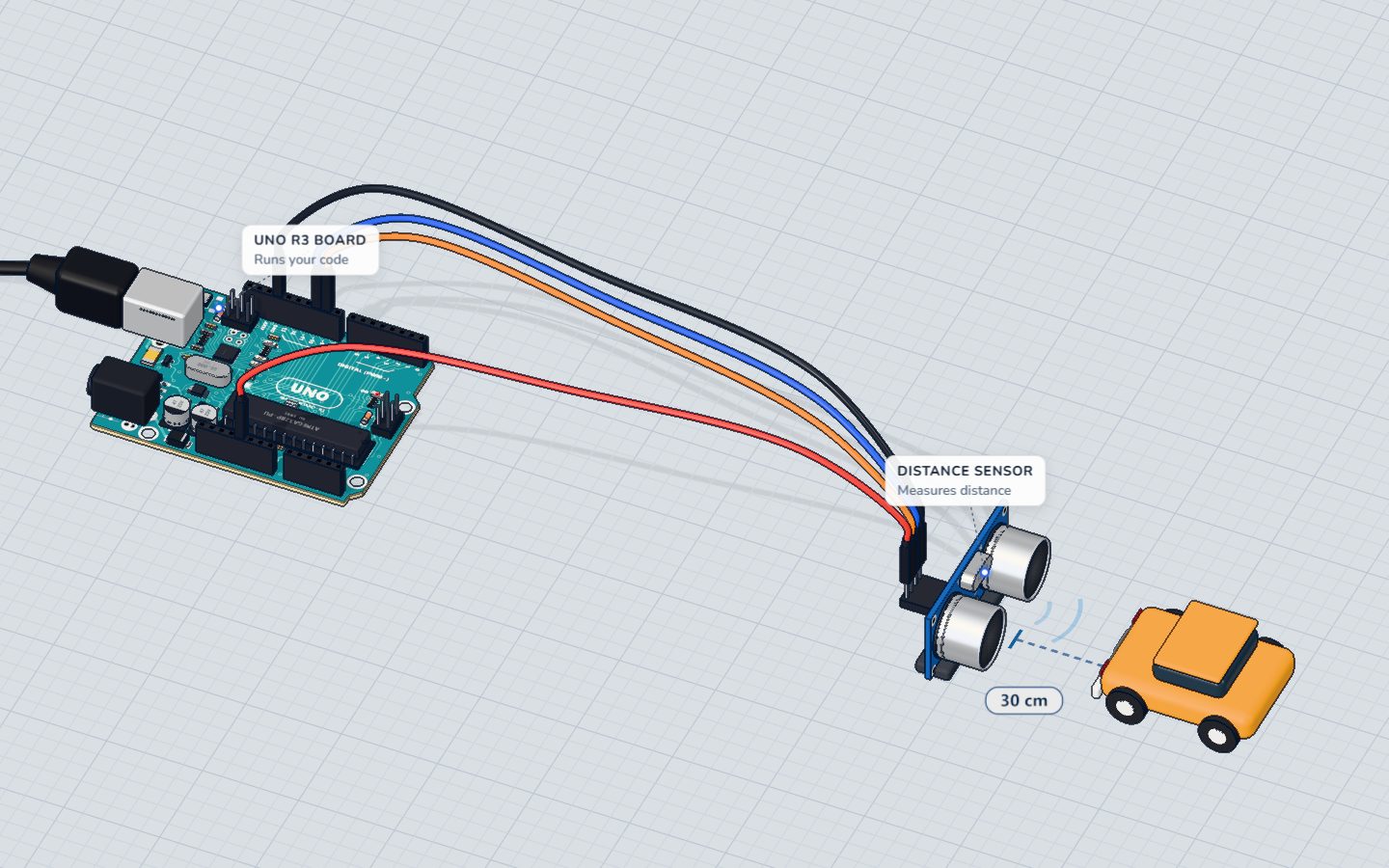
Sensor modules like the HC-SR04 distance sensor, a servo or an OLED screen have a VCC (+) pin and a GND (−) pin. Swap them and the module's chip gets its power upside down — most modules die instantly.
In our lab, a module whose + is 2.5 V or more below its − burns the moment it is powered: "A module burnt out: its + and − were wired the wrong way round. Swap those two wires."
Fix: read the labels on the module, not the colour of the wire. Wire GND first, then VCC.
A 20-second check before you plug in
- Every LED has a resistor.
- No wire runs from 5V or 3.3V straight to GND.
- No pin goes straight to 5V or GND.
- Every module's VCC goes to 5V and GND to GND.
- No part has both legs in the same breadboard strip.
Check yourself
What is the absolute maximum current for one pin of an Arduino UNO?
The ATmega328P's limit is 40 mA per pin; about 20 mA is a comfortable working value.
Why does an LED need a resistor?
Once lit, an LED has very little resistance; the resistor sets a safe current.
Which of these is a short circuit?
5V straight to GND has almost no resistance, so the current is enormous.
Questions people ask
Can a short circuit destroy an Arduino?
Yes. A pin pushed past 40 mA can die while the rest of the board keeps working, and a short on the power pins can damage the regulator or the chip. The UNO's USB fuse protects the computer and often the board, but do not rely on it.
How do I know if my Arduino pin is damaged?
Upload Blink to that pin with an LED and resistor. If the LED does not light, or digitalRead on the pin always gives the same value, the pin is probably dead. The other pins usually still work — just move to another one.
What happens if I connect an LED to Arduino without a resistor?
The current rises far above the LED's limit. The LED may flash very bright and then fail, and the pin can be damaged. Always use about 220 Ω for a 5 V pin.
Build it yourself in 3DFree, in your browser — no board, no wires, nothing to buy.Open the 3D lab →Your progress stays on this device — no account, nothing sent anywhere.
Last updated 2026-10-29


