What you need
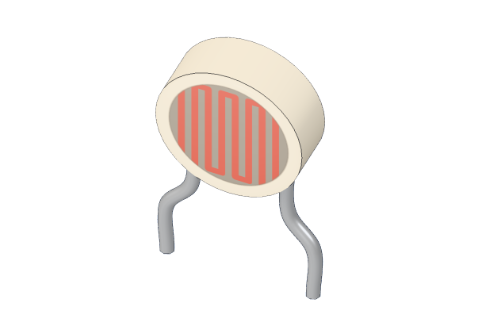 Light sensor (LDR)
 10 kΩ resistor
 Arduino UNO R3 (or a compatible board)
 Half-size breadboard
- Jumper wires (male–male)
Don't have the parts? Build it in 3D first.
What it is
An LDR (light-dependent resistor, also called a photoresistor) is a resistor whose value changes with light: bright light lowers its resistance, darkness raises it. It has two legs and, like any resistor, works either way round. See it in 3D.
How it works inside
The wavy orange line on top is a track of cadmium sulphide, a material that hardly conducts in the dark. Light knocks electrons loose inside it, and the more light, the more free electrons to carry current — so the resistance falls.
These are the values the 3D lab uses (a typical GL5528-type sensor):
| Light | About | LDR resistance |
|---|---|---|
| Dark room | 0 lux | 1 MΩ |
| Candle-lit | 1 lux | 63 kΩ |
| Dim room | 10 lux | 10 kΩ |
| Bright room | 100 lux | 1.6 kΩ |
| Desk lamp up close | 1000 lux | 250 Ω |
Lux measures how much light falls on a surface. Ten times more light gives only about six times less resistance, so the LDR is great for "brighter or darker" but not a precise light meter.
Why it needs a 10 kΩ resistor
An Arduino cannot measure resistance — it measures voltage. So the LDR is paired with a fixed 10 kΩ resistor to make a voltage divider: two resistors in a line between 5V and GND, with the analog pin connected where they meet.
The 5 V is shared between them in proportion to their resistance. With the LDR on top (5V side) and 10 kΩ below:
| Light | LDR | Voltage on A0 | analogRead(A0) |
|---|---|---|---|
| 0 lux | 1 MΩ | 0.05 V | about 10 |
| 1 lux | 63 kΩ | 0.68 V | about 140 |
| 10 lux | 10 kΩ | 2.5 V | about 511 |
| 100 lux | 1.6 kΩ | 4.3 V | about 883 |
| 1000 lux | 250 Ω | 4.9 V | about 998 |
Brighter = higher reading. Swap the two parts and it flips round: brighter = lower. Why 10 kΩ? It matches the LDR in a dim room, so the reading sits in the middle of the range where it changes the most.
The pins
| Pin | What it does |
|---|---|
| Leg 1, leg 2 | Either way round |
| Spec | Value |
|---|---|
| Resistance | ≈ 10 kΩ at 10 lux, 1 MΩ in the dark |
How to wire it to an Arduino
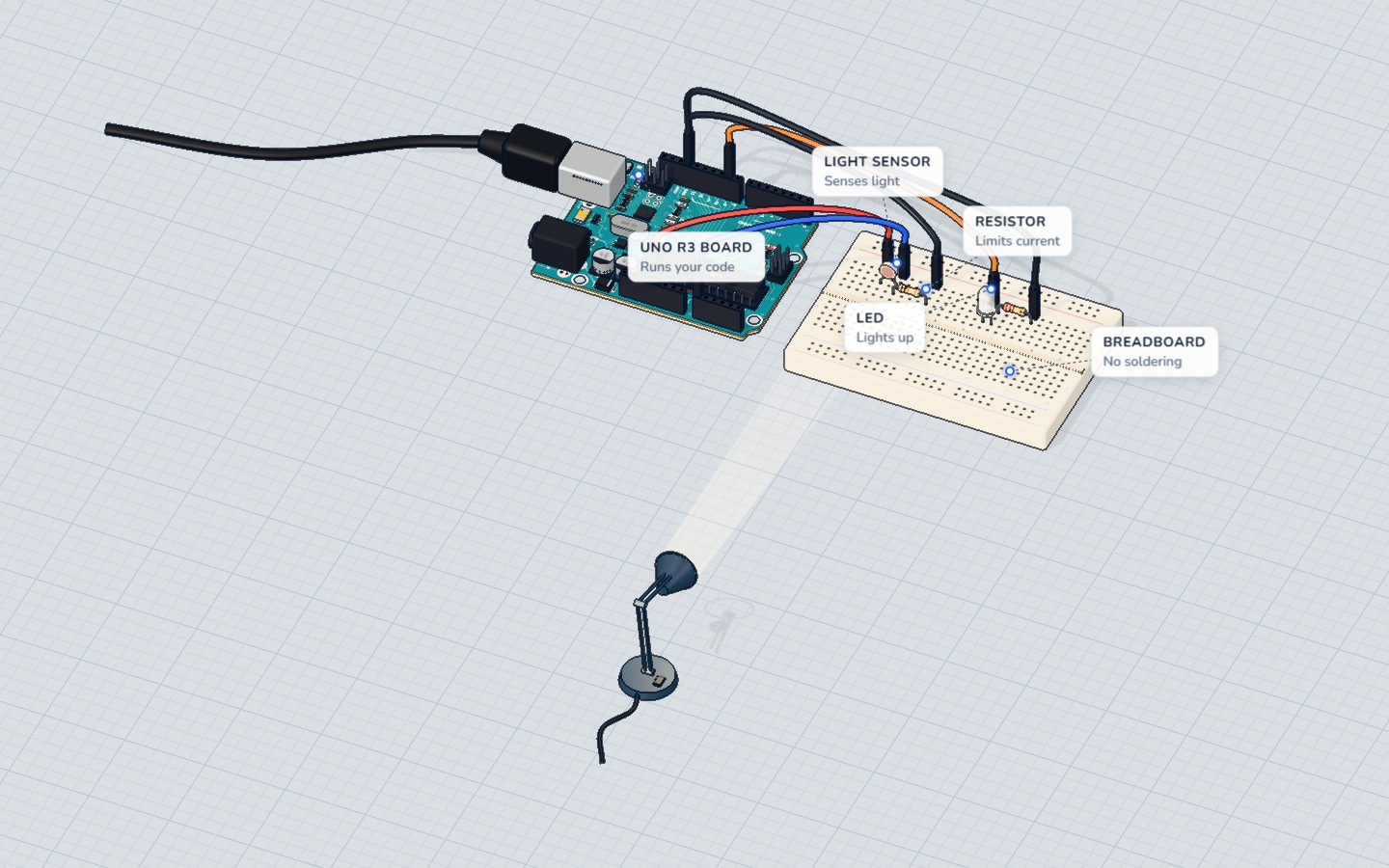
This is the wiring of the night light project:
- Push the LDR into the breadboard, each leg in its own row.
- 5V → one LDR leg.
- The other LDR leg → A0, and in the same row one leg of a 10 kΩ resistor.
- The resistor's other leg → GND.
- For the light: pin 9 → a white LED's long leg, its short leg → 220 Ω → GND.
| Part pin | Goes to | What it does |
|---|---|---|
| LDR leg 1 | 5V | Top of the divider |
| LDR leg 2 + 10 kΩ | A0 | The middle: the voltage we read |
| 10 kΩ other leg | GND | Bottom of the divider |
Example code
The exact code of the night light — it gets brighter as the room gets darker:
const int SENSOR = A0;
const int LED = 9;
const int DARK = 400;   // below this it counts as dark

void setup() {
  pinMode(LED, OUTPUT);
  Serial.begin(9600);
}

void loop() {
  int light = analogRead(SENSOR);   // brighter = higher
  Serial.print("light ");
  Serial.println(light);
  if (light < DARK) {
    // the darker it is, the brighter the night light
    analogWrite(LED, map(light, 0, DARK, 255, 30));
  } else {
    analogWrite(LED, 0);
  }
  delay(200);
}analogRead(SENSOR)gives the divider's voltage as 0–1023.DARK = 400is the threshold. A reading of 400 means the LDR is at about 15.6 kΩ — roughly 17 lux, a dim room.map(light, 0, DARK, 255, 30)turns "darker" into "brighter LED".
Common mistakes
- No 10 kΩ resistor. A0 reads close to 1023 all the time, whatever the light. The divider needs both parts.
- Wired to a digital pin.
analogRead()only works on A0–A5. - The LED shines on the sensor. The night light switches itself off, then on, then off… Point them away from each other.
- The threshold does not suit your room. Watch the serial monitor in the light and in the dark, and pick a number in between.
Check yourself
What happens to an LDR's resistance when more light falls on it?
Light frees electrons in the material, so it conducts better.
Why does the LDR need a 10 kΩ resistor?
The Arduino measures voltage, not resistance; the divider turns one into the other.
With the LDR on the 5V side, what does a brighter room do to the reading?
Less LDR resistance leaves more of the 5 V across the 10 kΩ resistor, so A0 rises.
Questions people ask
What is an LDR used for?
Anything that should react to light: night lights and street lamps that switch on at dusk, light-following robots, alarms that notice a shadow, and screens that dim in the dark.
Does an LDR have a positive and negative leg?
No. It is a resistor, so it works either way round.
What value resistor do I use with an LDR?
10 kΩ is the usual choice because it matches the LDR in normal indoor light. Use a bigger one (say 47 kΩ) to see more detail in the dark, or a smaller one for bright light.
Why are my LDR readings different from yours?
Every LDR, room and lamp is a little different. The numbers are for comparing — "brighter than before" — so measure your own light and dark values first.
Where it is used
Build the night light. The same divider idea reads a knob in the potentiometer project and a squeeze in the force sensor guide.
Build it yourself in 3DFree, in your browser — no board, no wires, nothing to buy.Open the 3D lab →Your progress stays on this device — no account, nothing sent anywhere.
Last updated 2026-10-29