The short answer
An Arduino program is called a sketch. Every sketch has two parts:
setup()runs once, when the board powers up or you press reset. You prepare things here.loop()runs again and again, forever, right after setup. Your project's behaviour goes here.
void setup() {
  // runs once
}

void loop() {
  // runs forever
}
Everything else — variables, if, for — goes inside (or above) those two.
Your first real sketch, line by line
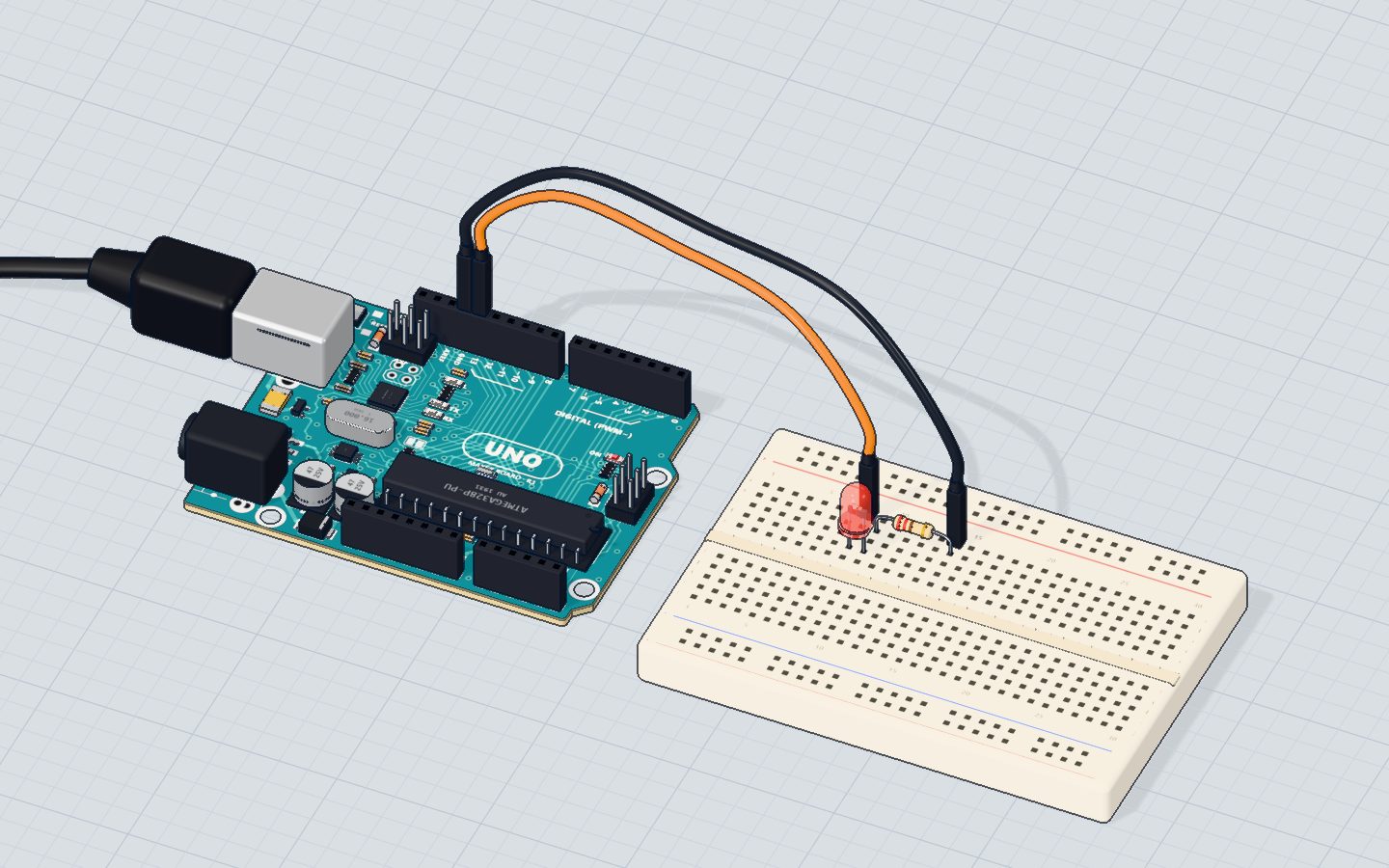
This is the code of our Blink project. It switches pin 13 on and off every second:
const int LED = 13;

void setup() {
  pinMode(LED, OUTPUT);
  Serial.begin(9600);
}

void loop() {
  digitalWrite(LED, HIGH);   // 5 V on the pin: current flows, the LED lights
  Serial.println("on");
  delay(1000);
  digitalWrite(LED, LOW);    // 0 V: no current, the LED goes dark
  Serial.println("off");
  delay(1000);
}| Line | What it does |
|---|---|
const int LED = 13; | Gives the number 13 a name, so the code reads like English |
pinMode(LED, OUTPUT); | Pin 13 will drive something (not read it) |
Serial.begin(9600); | Opens the serial monitor at 9600 baud |
digitalWrite(LED, HIGH); | Puts 5 V on the pin |
digitalWrite(LED, LOW); | Puts 0 V on the pin |
delay(1000); | Waits 1000 milliseconds = 1 second |
Variables: boxes with names
A variable is a named box that holds a value. You say what kind of value it holds, give it a name, and (usually) a starting value:
int blinks = 0;          // a whole number
float celsius = 22.5;    // a number with decimals
bool fanOn = false;      // true or false
const int BUTTON = 2; // const: a value that never changes| Type | Holds | Example |
|---|---|---|
int | Whole numbers, −32768 to 32767 on the UNO | int speed = 120; |
long | Bigger whole numbers | long echo = pulseIn(ECHO, HIGH); |
float | Decimals | float volts = 2.5; |
bool | true or false | bool fanOn = false; |
A variable made outside setup() and loop() (at the top) keeps its value between loops. That is how the Meet-the-board project counts: blinks = blinks + 1; adds one every time round.
The three commands you will use most
pinMode(pin, mode)— sets a pin up asOUTPUT,INPUTorINPUT_PULLUP. Call it insetup().digitalWrite(pin, value)— sets an output pinHIGH(5 V) orLOW(0 V).delay(ms)— pauses for that many milliseconds. 1000 ms = 1 s. While it waits, the board does nothing else.
Reading works the same way: digitalRead(pin) gives HIGH or LOW, and analogRead(A0) gives a number from 0 to 1023 (see digital vs analog).
Comments and semicolons
- Comments are notes for humans. The board ignores them.
//starts a one-line comment;/* … */wraps several lines. - Every statement ends with a semicolon
;— it is like a full stop in a sentence. Lines that open a block with{(likevoid loop() {orif (…) {) do not get one.
Upper and lower case matter too: digitalwrite is not digitalWrite, and high is not HIGH.
if: making decisions
if runs a block only when a condition is true; else runs when it is not. This is from our Night light project:
if (light < DARK) {
  // the darker it is, the brighter the night light
  analogWrite(LED, map(light, 0, DARK, 255, 30));
} else {
  analogWrite(LED, 0);
}
Comparisons you can use: < > <= >= == (equal) and != (not equal).
for: doing something many times
A for loop repeats a block while counting. It has three parts: where to start, when to keep going, and how to step. From our Motor project:
for (int speed = 0; speed <= 255; speed += 15) {
  analogWrite(MOTOR, speed);
  Serial.print("speed ");
  Serial.println(speed);
  delay(150);
}
Read it as: "start speed at 0; while speed is 255 or less, run the block; then add 15". The motor speeds up in 18 steps.
Functions: your own commands
You can bundle lines into your own command. The RGB project does this so the main code stays short:
void setColor(int r, int g, int b) {
  analogWrite(RED, r);
  analogWrite(GREEN, g);
  analogWrite(BLUE, b);
}
Now setColor(255, 0, 0); makes red. void means the function gives nothing back.
Check yourself
How many times does setup() run?
setup() runs once; loop() is the one that repeats forever.
Which line is correct Arduino code?
Names are case-sensitive and every statement ends with a semicolon.
What does for (int i = 0; i < 3; i++) do?
i starts at 0, the block runs while i < 3, and i++ adds one each time.
Questions people ask
What is the difference between setup and loop in Arduino?
setup() runs once at the start — use it for pinMode() and Serial.begin(). loop() runs over and over for as long as the board has power — put the things your project keeps doing there.
Can an Arduino sketch work without loop()?
No. Both setup() and loop() must exist, or the code will not compile. If you have nothing to repeat, leave loop() empty: void loop() {}.
Why does my Arduino code say "was not declared in this scope"?
You used a name the compiler does not know: usually a typo (led vs LED), a variable made inside another block, or a missing #include for a library. Check the spelling and where the variable is created.
Is delay() bad?
Not for learning. But during a delay() the board cannot notice a button press. Bigger projects use millis() (the time since start) to do several things at once.
Your progress stays on this device — no account, nothing sent anywhere.
Last updated 2026-10-29