
The short answer
Arduino is a small computer on a board, made for building things. You write a short program on your computer, send it to the board over a USB cable, and the board runs it forever: it reads buttons and sensors through its input pins and switches LEDs, buzzers and motors through its output pins.
"Arduino" is three things with one name:
- The boards — the most famous is the Arduino UNO.
- The language — simple C++ with ready-made commands like
digitalWrite()anddelay(). - The software — the Arduino IDE (the program where you type code and press Upload).
It was created in 2005 in Ivrea, Italy, so that art and design students could build interactive projects without an engineering degree. Today it is used in schools, maker spaces, universities and real product prototypes all over the world.
What is on an Arduino UNO
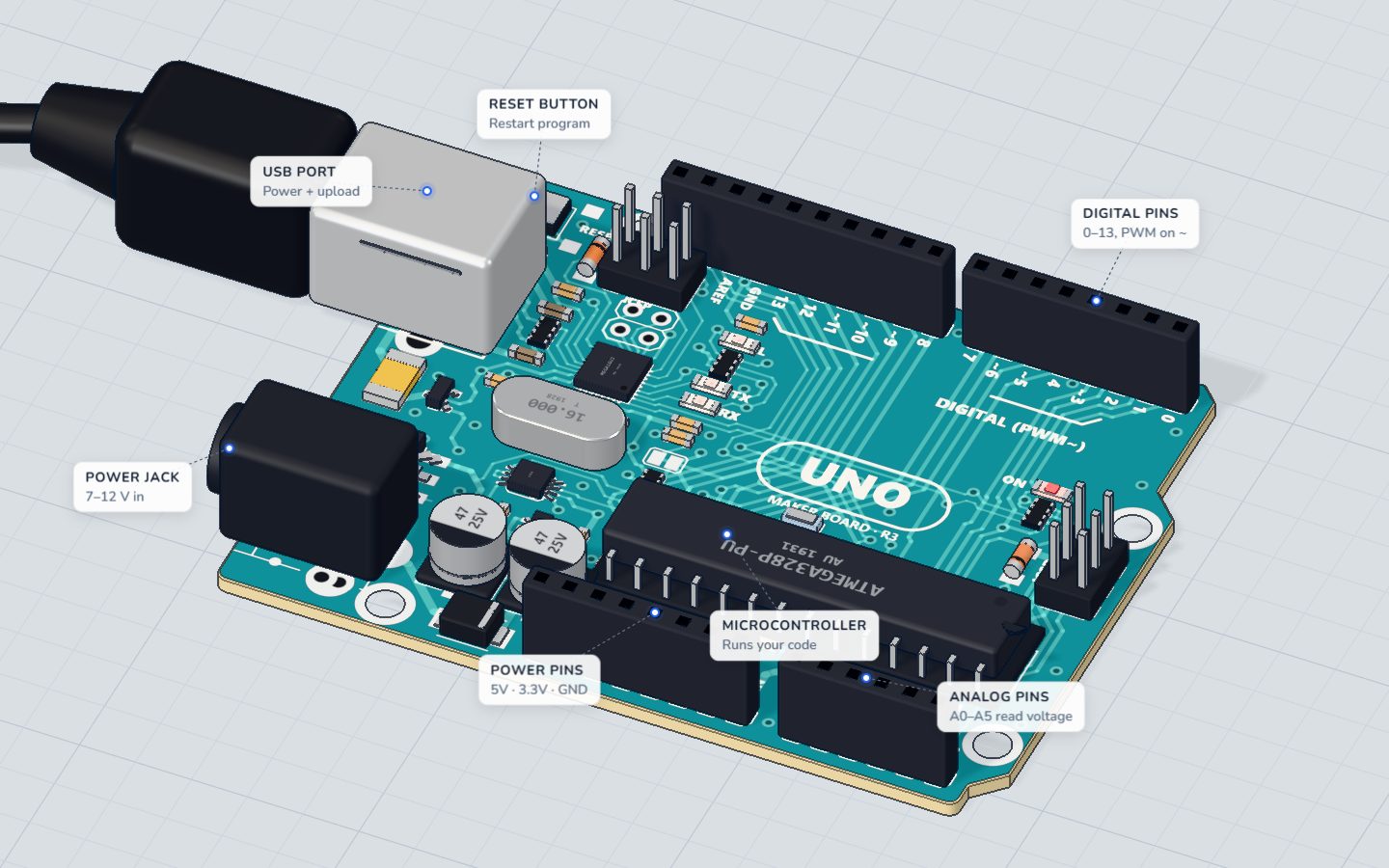
The UNO is the board almost every beginner starts with. Its heart is an ATmega328P microcontroller — a whole tiny computer (processor, memory and pins) in one chip.
| Feature | Arduino UNO |
|---|---|
| Chip | ATmega328P, 16 MHz |
| Program memory | 32 KB (your code lives here) |
| Working memory (RAM) | 2 KB |
| Digital pins | 14 (D0–D13); 6 of them can dim with PWM (marked ~) |
| Analog inputs | 6 (A0–A5), each reads 0–1023 |
| Power pins | 5V, 3.3V, VIN and GND |
| Power | USB cable, or 7–12 V on the barrel jack |
The numbers look small next to a phone, but they are plenty: a sketch (an Arduino program) that blinks an LED uses about 1 KB. For a tour of every pin, see the UNO pinout explained and meet the Arduino UNO board.
How it works: input, think, output
Every Arduino project follows the same three steps, again and again:
- Input: read something — is the button pressed? How far away is that wall? How bright is the room?
- Think: your code decides — "if it is dark, turn the light on".
- Output: do something — light an LED, beep a buzzer, turn a servo to 90°.
Here is the first program from our 3D lab. It needs nothing but the board:
// The board's own LED (marked L) is on pin 13.
int blinks = 0;

void setup() {
  pinMode(LED_BUILTIN, OUTPUT);
  Serial.begin(9600);
  Serial.println("Hello from the UNO!");
}

void loop() {
  digitalWrite(LED_BUILTIN, HIGH);
  delay(500);
  digitalWrite(LED_BUILTIN, LOW);
  delay(500);
  blinks = blinks + 1;
  Serial.print("Blinks: ");
  Serial.println(blinks);
}
setup() runs once when the board starts; loop() runs again and again, forever. That is the whole shape of every Arduino program — read Arduino code basics for the rest.
What can you build with Arduino?
Almost anything that senses and reacts. A few ideas, from first day to first robot:
- Lights: a blinking LED, a night light that turns on in the dark, a colour-mixing RGB lamp.
- Sound: a buzzer that plays a tune, a small piano with buttons.
- Sensors: a distance meter, a thermometer, a plant that tells you when it is thirsty.
- Movement: a fan whose speed you control, a servo arm, a wheel driven by a stepper motor.
- Bigger builds: line-following robots, weather stations, parking sensors, home automation, science experiments.
Every one of these starts with the same skills: switching a pin on and off, reading a pin, and a little bit of code.
Do I need to buy an Arduino to start?
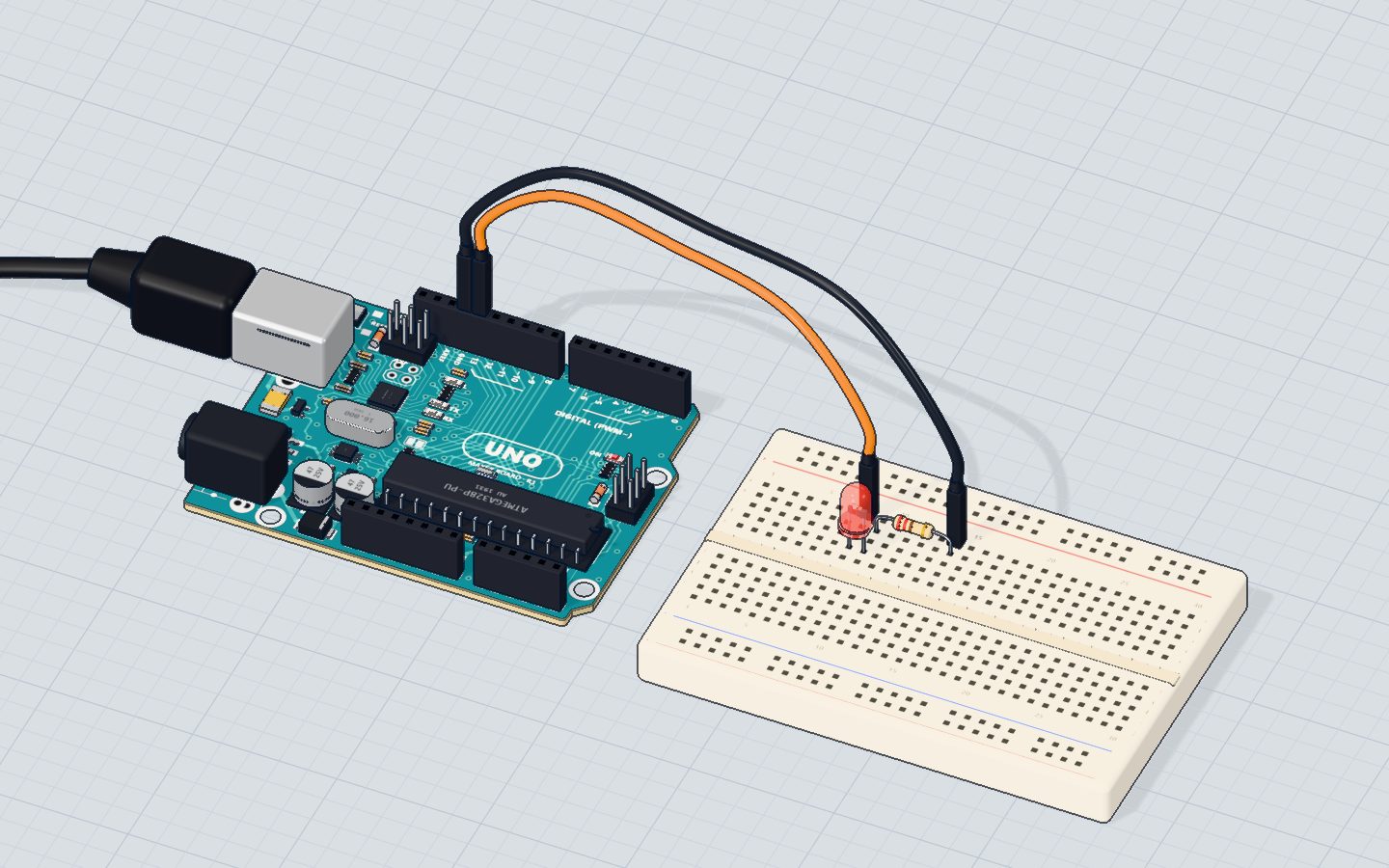
No. Our free 3D lab runs right in your browser. You get a real-looking UNO, a breadboard and parts on a bench. You wire them by dragging, write code, and press Run — the code is really compiled and runs on a simulated ATmega328P, the same chip as on the UNO. Current flows on the wires, LEDs glow, the serial monitor prints.
Best of all, you can make mistakes safely. Forget a resistor and the LED burns out with a puff of smoke; press Replace part and try again. With a real board that mistake costs money.
Arduino UNO vs Raspberry Pi
People often ask which one to buy. They are different tools:
| Arduino UNO | Raspberry Pi | |
|---|---|---|
| What it is | Microcontroller board | Full computer running Linux |
| Starts in | About a second | 20–40 seconds |
| Runs | One program, forever | Many programs, a desktop |
| Best for | Reading sensors, driving motors, exact timing | Cameras, internet, screens, heavy software |
For learning electronics, Arduino is simpler: there is no operating system between your code and the pins.
Check yourself
What does an Arduino do with your program after you upload it?
The program stays in the board's memory and loop() runs forever, even after you unplug and replug it.
Which chip is at the heart of the Arduino UNO?
The UNO uses the ATmega328P microcontroller, running at 16 MHz.
What are the three steps of almost every Arduino project?
Read something, let the code decide, then do something — over and over.
Questions people ask
Is Arduino hard to learn for a complete beginner?
No. Your first program is about ten lines long, and you see the result straight away — a light blinking. Most people go from zero to a working sensor project in a weekend.
What programming language does Arduino use?
Arduino code is C++ with a friendly set of ready-made commands such as pinMode(), digitalWrite(), analogRead() and delay(). You do not need to know C++ first; you learn the parts you need as you go.
Which Arduino board should a beginner buy?
The Arduino UNO (or a compatible UNO board). It is sturdy, has the most tutorials, and every project on this site uses it.
Can I learn Arduino without hardware?
Yes. Our 3D lab lets you wire circuits and run real Arduino code in your browser for free, so you can learn the ideas before you buy any parts.
Build it yourself in 3DFree, in your browser — no board, no wires, nothing to buy.Open the 3D lab →Your progress stays on this device — no account, nothing sent anywhere.
Last updated 2026-10-29


