What you need
 Arduino UNO R3 (or a compatible board)
- USB cable (A to B)
- Jumper wires (male–male)
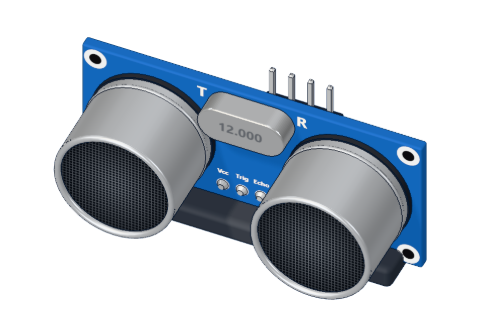 HC-SR04 ultrasonic distance sensor
Don't have the parts? Build it in 3D first.
What it is
The HC-SR04 measures distance with sound, like a bat. One round "eye" is a tiny speaker (marked T), the other a microphone (R). They work at 40 kHz — too high for people to hear. It measures from 2 cm to 4 m and needs just four pins.
This guide is about the sensor itself: its pins and its timing. For the full project with the maths step by step, see measure distance with the HC-SR04. See it in 3D.
Pins
Looking at the front, with the pins at the bottom, from left to right:
| Pin | Goes to | Direction | What it does |
|---|---|---|---|
| VCC | 5V | power | Feeds the sensor (about 15 mA) |
| TRIG | A digital pin (9) | Arduino → sensor | A 10 µs HIGH pulse starts one measurement |
| ECHO | A digital pin (10) | sensor → Arduino | Stays HIGH as long as the sound took to come back |
| GND | GND | power | Ground |
TRIG is an input to the sensor (an OUTPUT on the Arduino). ECHO is an output from the sensor (an INPUT on the Arduino). Both are plain digital signals: just HIGH or LOW.
How it works: one measurement, step by step
Here is what happens on the wires, with the same timing our 3D lab simulates:
- TRIG goes HIGH for at least 10 µs, then LOW. A shorter pulse is ignored.
- The sensor sends eight bursts of 40 kHz sound — that takes a moment (about 250 µs in our lab).
- ECHO goes HIGH.
- The sound hits an object and bounces back. When the microphone hears it, ECHO goes LOW.
- The time ECHO was HIGH is the round trip: 58 µs for every centimetre of distance.
| Object at | ECHO stays HIGH for |
|---|---|
| 2 cm | 116 µs |
| 30 cm | 1740 µs |
| 1 m | 5.8 ms |
| 4 m | 23.2 ms |
| Nothing in range | about 38 ms (the sensor gives up) |
Why 58? Sound travels about 0.0343 cm per microsecond. There and back is two trips, so 1 cm costs 2 ÷ 0.0343 ≈ 58 µs.
How to wire it to an Arduino
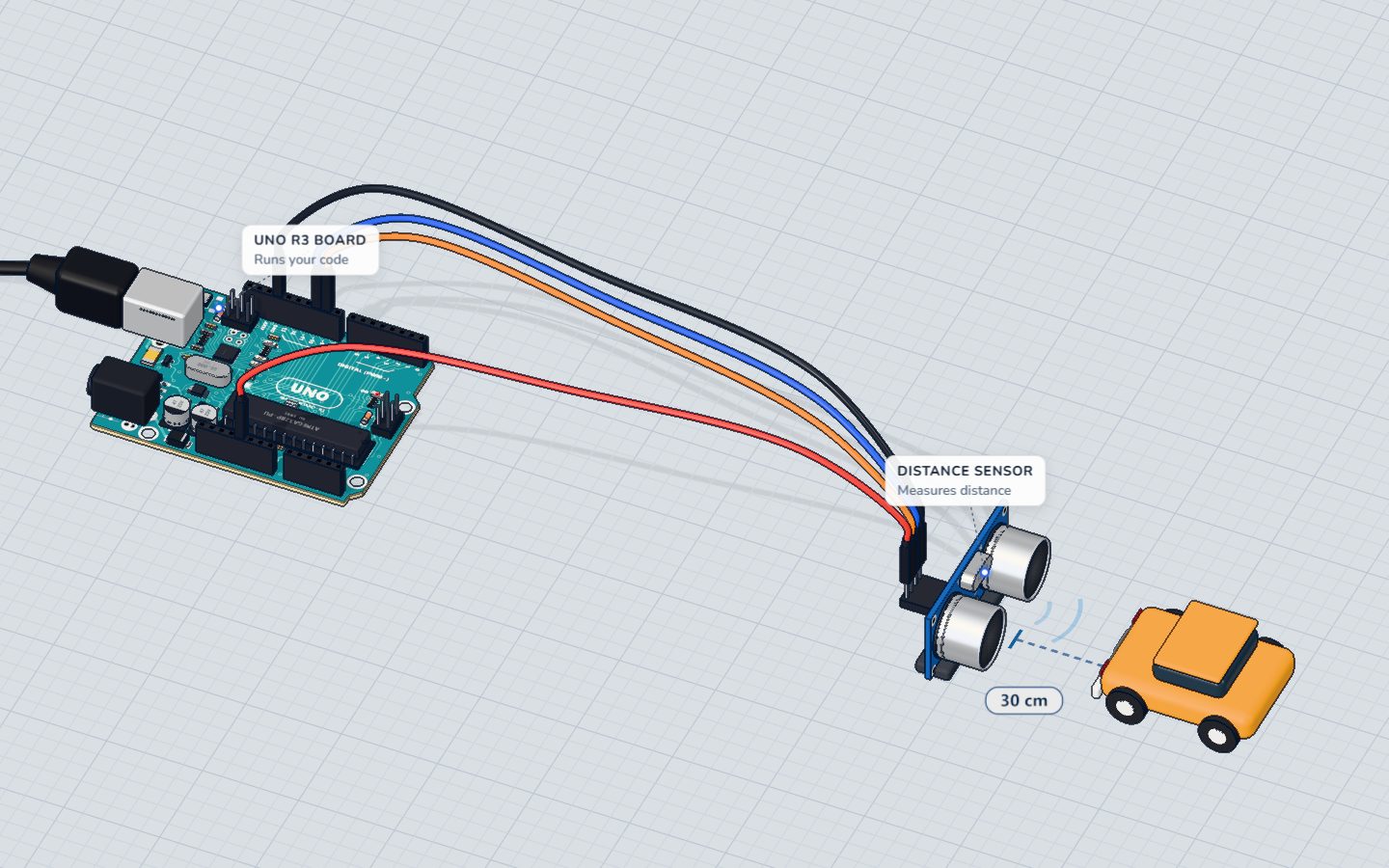
No breadboard needed. Four jumper wires go straight from the sensor's pins to the UNO:
- VCC → 5V
- TRIG → pin 9
- ECHO → pin 10
- GND → GND
Example code
The short version from the component page:
void setup() {
  pinMode(9, OUTPUT);
  pinMode(10, INPUT);
  Serial.begin(9600);
}

void loop() {
  digitalWrite(9, HIGH); delayMicroseconds(10); digitalWrite(9, LOW);
  Serial.println(pulseIn(10, HIGH) / 58);
  delay(200);
}
pinMode(9, OUTPUT)for TRIG,pinMode(10, INPUT)for ECHO — the sensor drives ECHO, the Arduino only listens.digitalWrite(9, HIGH); delayMicroseconds(10); digitalWrite(9, LOW);is the 10 µs trigger pulse.pulseIn(10, HIGH)waits for ECHO to go HIGH, times how long it stays HIGH, and returns microseconds./ 58turns microseconds into centimetres.delay(200)leaves time for old echoes to fade.
Common mistakes
- Always 0. TRIG and ECHO are swapped, or ECHO is not connected:
pulseIn()gives up after one second and returns 0. - Huge numbers, about 655. Nothing was in range — 38 ms ÷ 58 is about 655. Point it at something within 4 m.
- Jumpy readings. Soft things (cloth, foam) swallow sound, and slanted surfaces bounce it away. Aim at something flat and hard.
- Very slow loop. If no echo ever starts, each
pulseIn()waits a full second. Pass a timeout:pulseIn(10, HIGH, 30000).
Check yourself
How long must the TRIG pulse be?
A HIGH pulse of 10 µs or more starts a measurement.
Which pin should be an INPUT on the Arduino?
The sensor drives ECHO; the Arduino reads it with pulseIn().
ECHO stayed HIGH for 1160 µs. How far is the object?
1160 ÷ 58 = 20 cm.
Questions people ask
What does the TRIG pin do on the HC-SR04?
It starts a measurement. Hold it HIGH for 10 µs, and the sensor sends its burst of ultrasound and then reports the echo on the ECHO pin.
Can I use one pin for both TRIG and ECHO?
With some libraries, yes — the pin switches between output and input. Using two pins, as here, is simpler and easier to understand.
Why does my HC-SR04 read 0 cm?
Usually ECHO is not wired, TRIG and ECHO are swapped, or the sensor has no power. Check the four wires against the pin table.
Is the HC-SR04 waterproof?
No. For outdoor or wet places, use a sealed sensor such as the JSN-SR04T, which works in a very similar way.
Where it is used
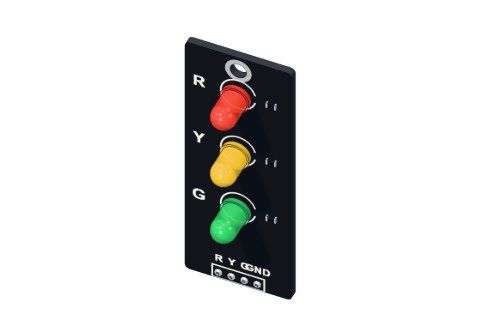
It is the star of measure distance and the eyes of the parking sensor, where a traffic light module shows how close you are.
Build it yourself in 3DFree, in your browser — no board, no wires, nothing to buy.Open the 3D lab →Your progress stays on this device — no account, nothing sent anywhere.
Last updated 2026-10-29