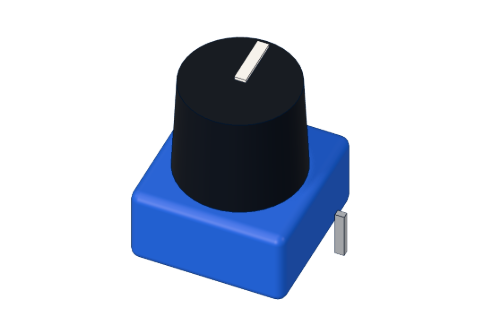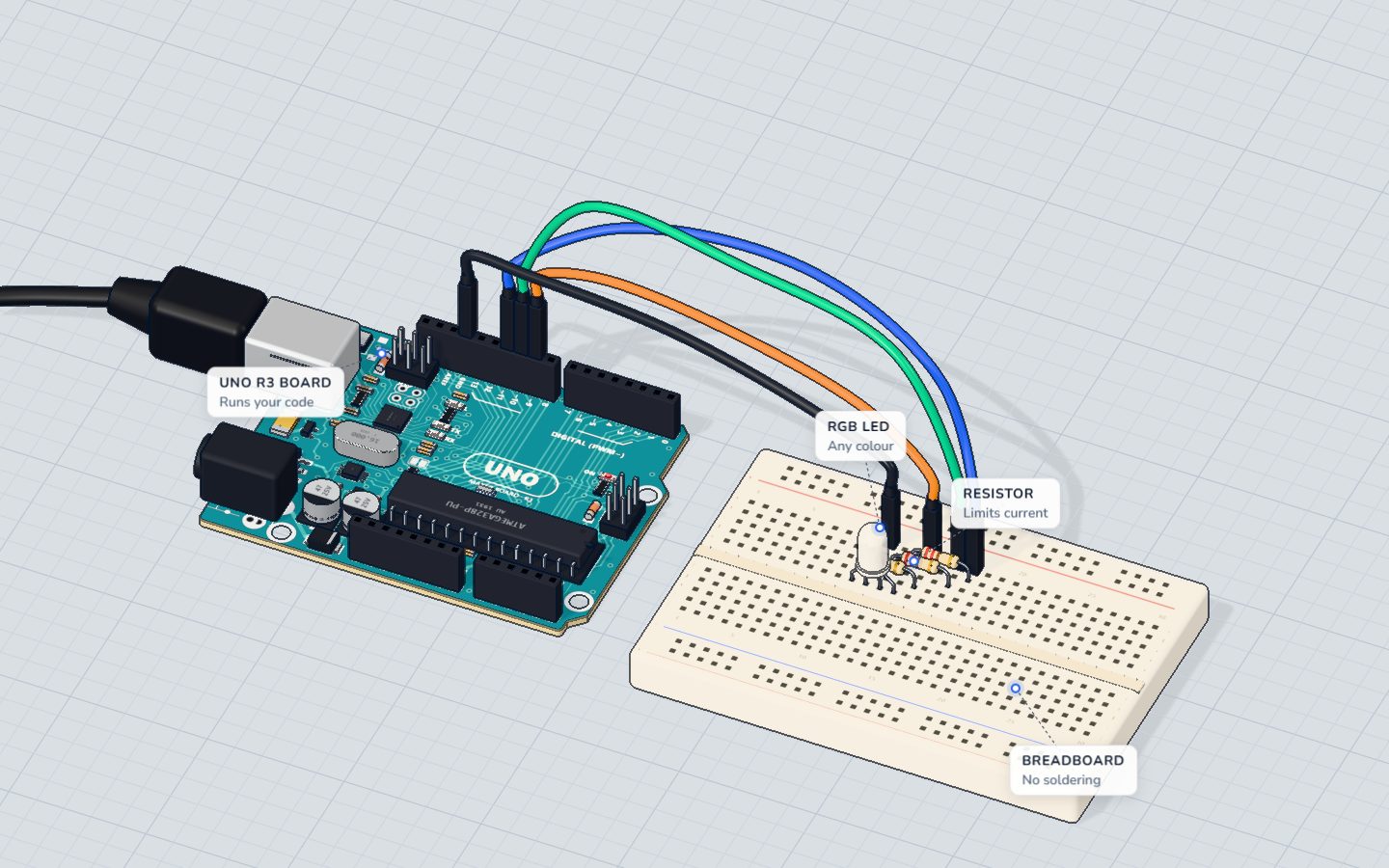
What you need
 Arduino UNO R3 (or a compatible board)
- USB cable (A to B)
 Half-size breadboard
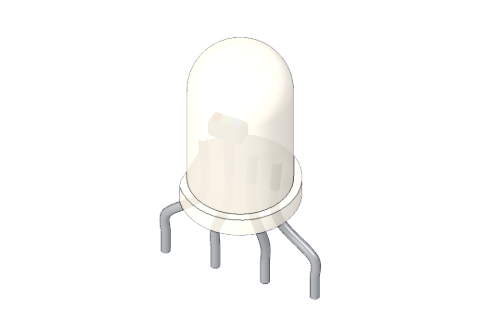 RGB LED (common cathode)
 220 Ω resistor
- Jumper wires (male–male)
Don't have the parts? Build it in 3D first.
What you will build
An RGB LED that steps through six colours — red, orange, yellow, green, sky blue and purple — each for 0.8 seconds, forever. The serial monitor names each colour as it appears.
The same trick lights the "breathing" LED on a game controller, smart bulbs that change colour from your phone, and — with millions of tiny dots — every phone, TV and computer screen. Each pixel on your screen is a red, a green and a blue light mixed in different amounts.
How it works
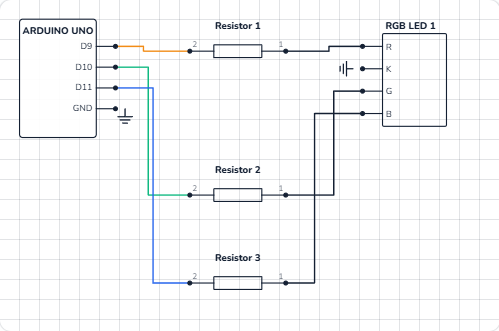
An RGB LED holds three LEDs under one milky lens: red, green and blue. This one is common cathode: the three share one minus leg (the longest), which goes to GND. Each colour has its own plus leg, its own 220 Ω resistor and its own PWM pin. More in how an RGB LED works.
Light adds up. Mixing light is not like mixing paint:
| Red | Green | Blue | You see |
|---|---|---|---|
| 255 | 0 | 0 | Red |
| 255 | 255 | 0 | Yellow |
| 0 | 255 | 255 | Cyan |
| 255 | 0 | 255 | Magenta |
| 255 | 255 | 255 | White |
Each number is a PWM level from 0 (off) to 255 (fully on). With 256 levels for each of three colours, that is 256 × 256 × 256 ≈ 16.7 million combinations.
The three colours need different voltages, so with the same 220 Ω resistor they get different currents:
| Colour | LED voltage | Current at 255 |
|---|---|---|
| Red | ≈ 2.0 V | (5 − 2.0) ÷ 220 ≈ 14 mA |
| Green | ≈ 3.0 V | (5 − 3.0) ÷ 220 ≈ 9 mA |
| Blue | ≈ 3.0 V | (5 − 3.0) ÷ 220 ≈ 9 mA |
All three together: about 32 mA — fine, because each pin carries only its own colour.
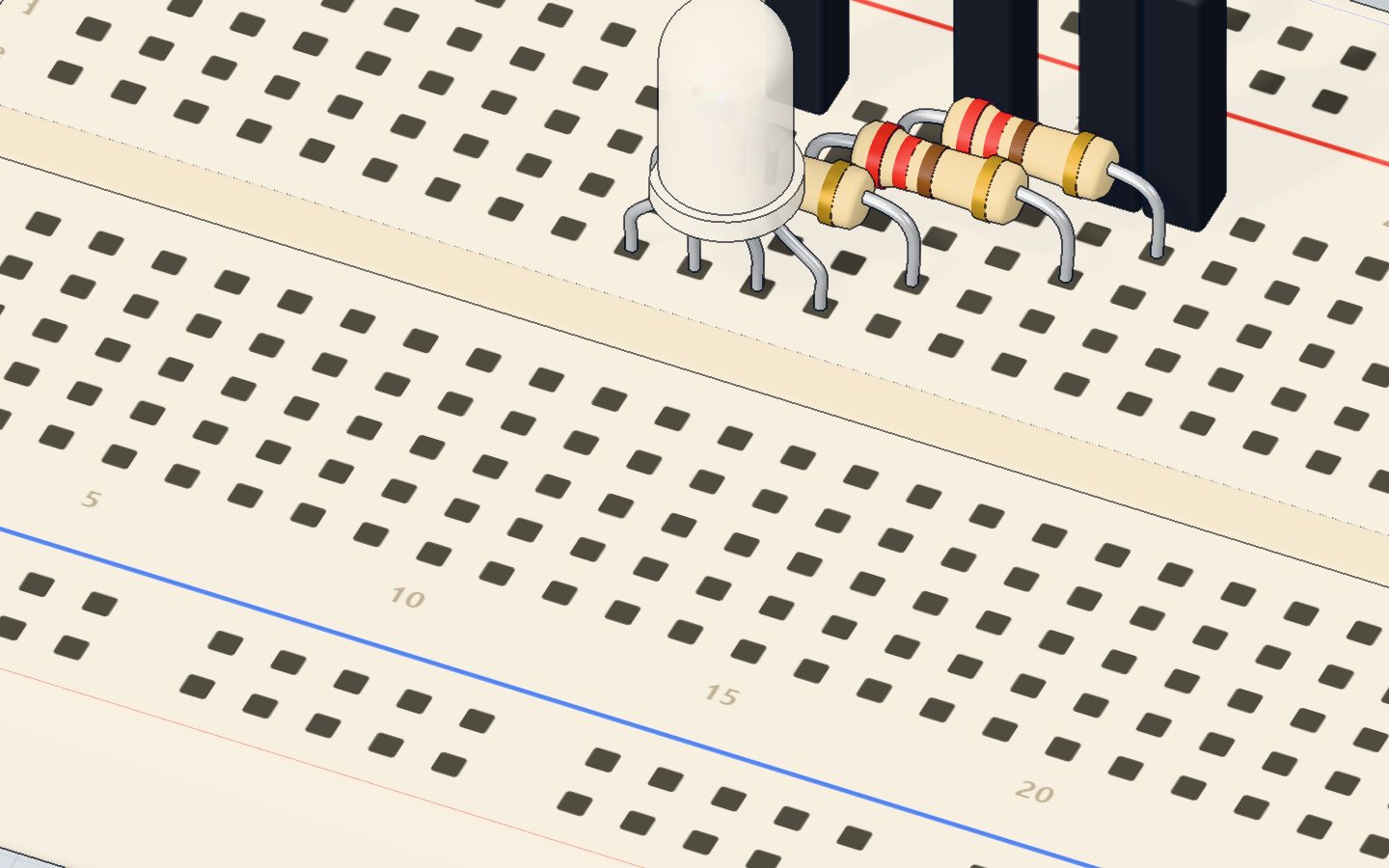
The wiring
The RGB LED's legs, from left to right: R, K (the longest), G, B.
- Push the RGB LED in with its legs in 10e (R), 11e (K), 12e (G), 13e (B).
- Red resistor (220 Ω) from 10d to 14d.
- Green resistor (220 Ω) from 12c to 16c.
- Blue resistor (220 Ω) from 13b to 17b.
- Jumper wires: pin 9 → 14a, pin 10 → 16a, pin 11 → 17a, and 11a → GND.
| Part pin | Goes to | What it does |
|---|---|---|
| R (red +) | 220 Ω → pin 9 (~) | Red brightness |
| K (longest leg) | GND | The shared minus for all three colours |
| G (green +) | 220 Ω → pin 10 (~) | Green brightness |
| B (blue +) | 220 Ω → pin 11 (~) | Blue brightness |
The code, line by line
const int RED = 9, GREEN = 10, BLUE = 11;

void setColor(int r, int g, int b) {
  analogWrite(RED, r);
  analogWrite(GREEN, g);
  analogWrite(BLUE, b);
}

void setup() {
  Serial.begin(9600);
}

void loop() {
  setColor(255, 0, 0);   Serial.println("red");    delay(800);
  setColor(255, 160, 0); Serial.println("orange"); delay(800);
  setColor(255, 255, 0); Serial.println("yellow"); delay(800);
  setColor(0, 255, 0);   Serial.println("green");  delay(800);
  setColor(0, 120, 255); Serial.println("sky");    delay(800);
  setColor(140, 0, 255); Serial.println("purple"); delay(800);
}
const int RED = 9, GREEN = 10, BLUE = 11;names three pins in one line. All three are ~ pins.void setColor(int r, int g, int b)is your own function. It takes three numbers and does threeanalogWrites. Now one line sets a whole colour, andloop()stays short and readable.analogWrite(RED, r)sets the red brightness, 0–255.analogWritemakes the pin an output by itself, sosetup()needs nopinMode.setColor(255, 160, 0)— full red plus some green makes orange. More green and it becomes yellow.setColor(140, 0, 255)— blue with some red is purple.- Each line of
loop()holds three statements: set the colour, print its name, wait 800 ms.
Common mistakes
- Nothing lights at all. The longest leg is not on GND, or the LED is a common anode type (its shared leg must go to 5V and the numbers work backwards: 0 = full on).
- The colours are swapped. The legs are in a different order on your LED. Swap the wires, or swap the pin numbers in the first line.
- Only red works well; the mix looks too red. Normal: red gets more current (14 mA vs 9 mA). Lower the red number, e.g.
setColor(200, 255, 0)for a truer yellow. - A colour only turns fully on or off. That colour is on a pin without ~. Use 9, 10, 11 (or 3, 5, 6).
Try these challenges
- Add your favourite colour with
setColor()and give it a name in the serial monitor. - Make white: all three at 255. Is it really white, or a bit pink?
- Fade smoothly from red to blue with a
forloop that counts from 0 to 255. - In the 3D lab, open the Code tab, change the purple line to
setColor(255, 0, 255)and press Run.
Check yourself
What colour does setColor(255, 255, 0) make?
Red light plus green light looks yellow to our eyes.
Where does the longest leg of a common-cathode RGB LED go?
It is the shared minus (cathode) of all three colours.
Why does each colour need its own resistor?
With one shared resistor, the colours would share and fight over the same current.
Questions people ask
What is the difference between common anode and common cathode RGB LEDs?
Common cathode shares the minus leg (to GND) and a HIGH pin lights a colour. Common anode shares the plus leg (to 5V) and a LOW pin lights a colour, so analogWrite(pin, 255 - value) fixes the code.
Which Arduino pins can I use for an RGB LED?
Any three of the PWM pins marked ~: 3, 5, 6, 9, 10 and 11. This project uses 9, 10 and 11.
Why does my RGB LED not make a pure white?
The three colours have different brightness for the same number, and the red die gets more current here. Turn red and green down a little until it looks white.
How many colours can an Arduino RGB LED show?
256 levels for each of red, green and blue: about 16.7 million combinations — more than your eye can tell apart.
What's next
So far the Arduino decides everything. Next, let the world decide: a light sensor turns on an LED when it gets dark in the night light project.
Try this project in 3DRun the code, press the parts, break things safely — free, in your browser.Open in 3D →Your progress stays on this device — no account, nothing sent anywhere.
Last updated 2026-10-29