
What you need
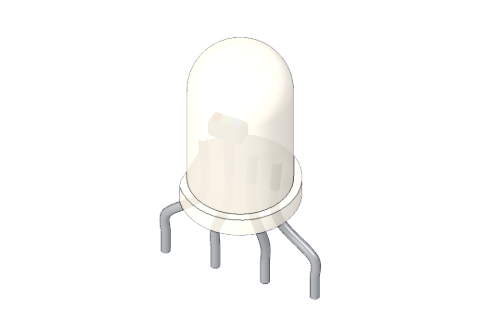 RGB LED (common cathode)
 220 Ω resistor
 Arduino UNO R3 (or a compatible board)
 Half-size breadboard
- Jumper wires (male–male)
Don't have the parts? Build it in 3D first.
What it is
An RGB LED is three LEDs — red, green and blue — under one milky lens. Each colour has its own leg, and they share the fourth leg. Light each colour a little or a lot, and your eye sees the mix as one new colour. See it in 3D.
The one in our 3D lab is common cathode: the shared leg is the minus (cathode), and it goes to GND. (Common-anode RGB LEDs also exist; there the shared leg goes to 5 V and everything works the other way round.)
How it works inside
Each of the three tiny LED chips works exactly like a normal LED (see how an LED works): current flows in at its own leg (+) and out at the shared cathode (−). And like a normal LED, each needs a resistor.
The colours do not need the same voltage. These are the forward voltages the 3D lab uses:
| Colour | Forward voltage | Current with 220 Ω on 5 V |
|---|---|---|
| Red | 2.0 V | (5 − 2.0) ÷ 220 ≈ 14 mA |
| Green | 3.0 V | (5 − 3.0) ÷ 220 ≈ 9 mA |
| Blue | 3.0 V | (5 − 3.0) ÷ 220 ≈ 9 mA |
Mixing colours
Light adds up. Screens work the same way: every pixel is a red, a green and a blue dot.
| Red | Green | Blue | You see |
|---|---|---|---|
| 255 | 0 | 0 | Red |
| 255 | 255 | 0 | Yellow |
| 255 | 160 | 0 | Orange |
| 0 | 120 | 255 | Sky blue |
| 140 | 0 | 255 | Purple |
| 255 | 255 | 255 | White |
The numbers are analogWrite() values, 0–255. They do not change the voltage — they switch each pin on and off very fast (PWM), and the share of "on" time sets the brightness. That is why each colour needs a ~ PWM pin. More in PWM explained.
The pins
Hold it with the legs down. From left to right:
| Pin | What it does |
|---|---|
| R | Red (+) |
| K (the longest leg) | Shared minus, to GND |
| G | Green (+) |
| B | Blue (+) |
| Spec | Value |
|---|---|
| Type | 5 mm, common cathode |
| Forward voltage | R ≈ 2 V, G and B ≈ 3 V |
How to wire it to an Arduino
This is the wiring of the RGB LED project:
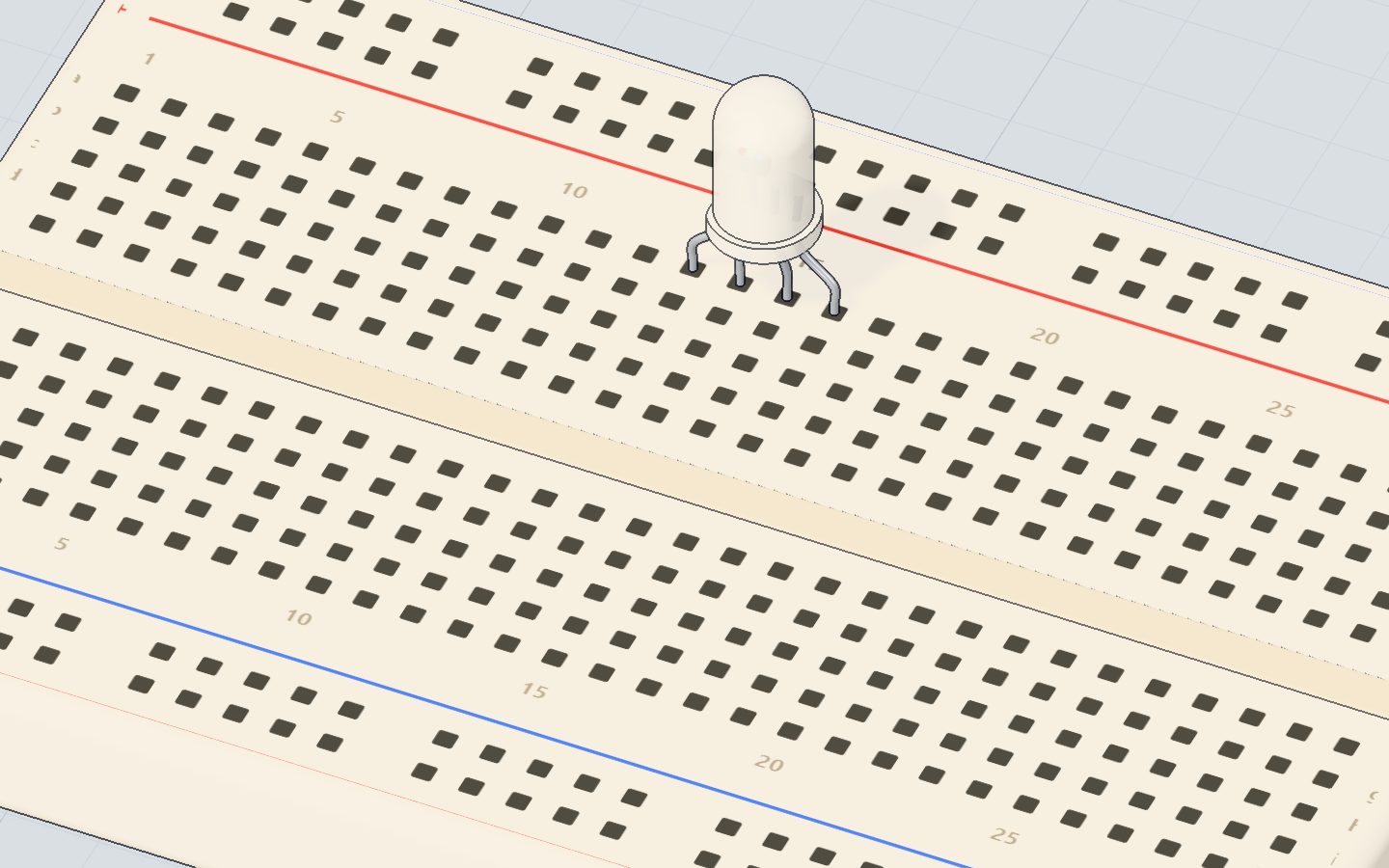
- Push the RGB LED into the breadboard, each leg in its own row.
- Each colour leg gets its own 220 Ω resistor.
- Pin 9 → red's resistor, pin 10 → green's, pin 11 → blue's.
- The longest leg (K) → GND.
| Part pin | Goes to | What it does |
|---|---|---|
| R | 220 Ω → pin 9 | Red brightness |
| G | 220 Ω → pin 10 | Green brightness |
| B | 220 Ω → pin 11 | Blue brightness |
| K | GND | The shared way back |
Example code
The exact code of the colour-mixing project:
const int RED = 9, GREEN = 10, BLUE = 11;

void setColor(int r, int g, int b) {
  analogWrite(RED, r);
  analogWrite(GREEN, g);
  analogWrite(BLUE, b);
}

void setup() {
  Serial.begin(9600);
}

void loop() {
  setColor(255, 0, 0);   Serial.println("red");    delay(800);
  setColor(255, 160, 0); Serial.println("orange"); delay(800);
  setColor(255, 255, 0); Serial.println("yellow"); delay(800);
  setColor(0, 255, 0);   Serial.println("green");  delay(800);
  setColor(0, 120, 255); Serial.println("sky");    delay(800);
  setColor(140, 0, 255); Serial.println("purple"); delay(800);
}
setColor(r, g, b)is our own function: one line sets all three colours.analogWrite(RED, r)sets red's brightness, 0 (off) to 255 (full).- Pins 9, 10 and 11 are all ~ pins, so all three can dim.
Common mistakes
- One resistor on the shared leg instead of three. The red chip needs less voltage, so it grabs most of the current and the mixes come out wrong. Give every colour its own resistor.
- The longest leg on a pin instead of GND. With a common-cathode LED nothing lights. K goes to GND.
- A common-anode LED with this code. It lights backwards: 255 means off. Wire its shared leg to 5V and use
255 - value. - A colour on a pin without ~. That colour is only fully on or off, so mixes jump.
Check yourself
On a common-cathode RGB LED, where does the longest leg go?
The longest leg is the shared cathode (−): the way back to GND.
Which mix makes yellow?
Light adds up: full red and full green look yellow.
Why do pins 9, 10 and 11 drive the colours?
Only ~ pins (3, 5, 6, 9, 10, 11) can dim with analogWrite().
Questions people ask
How do I know if my RGB LED is common cathode or common anode?
Connect the longest leg to GND and one other leg through a 220 Ω resistor to 5V. If it lights, it is common cathode. If not, try the longest leg on 5V and the other leg through the resistor to GND — then it is common anode.
Why does my RGB LED show the wrong colour?
Usually the colour legs are on the wrong pins: swap wires until setColor(255, 0, 0) shows red. A shared resistor instead of three, or a non-~ pin, also spoils mixes.
Can I make white with an RGB LED?
Yes: all three at 255. It may look slightly tinted, because the three chips are not exactly equally bright; lower the strongest one a little.
How many colours can an RGB LED make?
With 256 levels for each of three colours, 256 × 256 × 256 — about 16.7 million combinations.
Where it is used
Mix your own colours in the RGB LED project, and use the potentiometer to pick a colour with a knob as a next step.
Build it yourself in 3DFree, in your browser — no board, no wires, nothing to buy.Open the 3D lab →Your progress stays on this device — no account, nothing sent anywhere.
Last updated 2026-10-29
