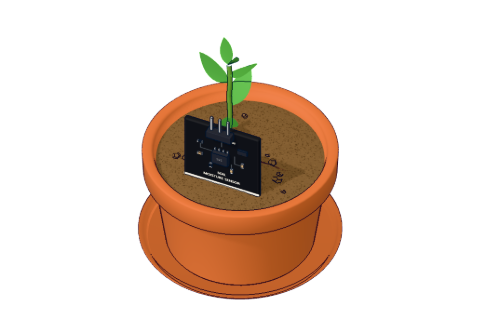
What you need
 Arduino UNO R3 (or a compatible board)
- USB cable (A to B)
- Jumper wires (male–male)
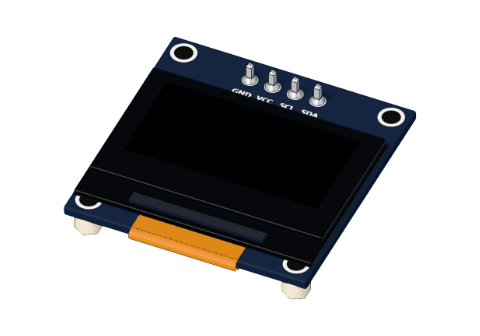 0.96" I²C OLED display
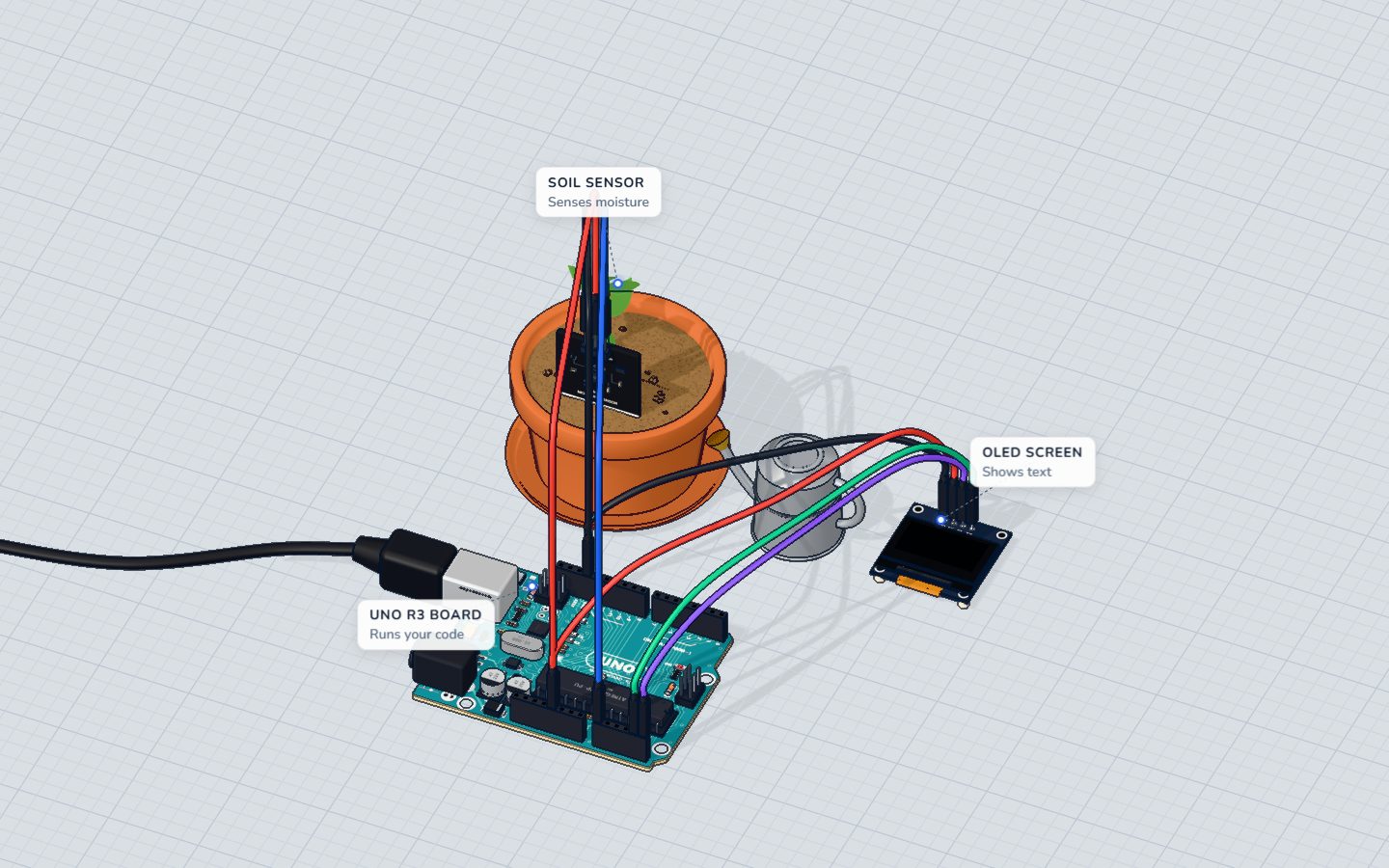
Don't have the parts? Build it in 3D first.
What it is
This is a tiny 0.96-inch screen with 128 × 64 pixels, driven by a chip called the SSD1306. Each pixel is its own little light (that is what OLED means: organic LED), so there is no backlight — black is truly black and the text is sharp and bright.
It talks to the Arduino over I²C, a way to send data on just two wires. With power and ground that makes four pins in total. See it in 3D.
How it works
I²C: two wires, many devices
I²C (say "I-squared-C") uses one wire for the clock, SCL, and one for the data, SDA. Every device on the wires has an address; this screen answers to 0x3C. The Arduino says "0x3C, listen", then sends bytes. On the UNO, I²C lives on fixed pins: SDA is A4 and SCL is A5.
The picture is in memory
The screen keeps the picture in 1 KB of memory: 128 × 64 pixels ÷ 8 = 1024 bytes. Each byte holds a column of 8 pixels stacked on top of each other, so the screen is split into 8 horizontal bands (called pages) of 128 bytes.
Your sketch never draws straight onto the glass. The library keeps a copy of that 1 KB in the Arduino's RAM, you draw into the copy, and display() sends the whole picture over I²C in one go. Our 3D lab simulates the real SSD1306 commands, byte by byte, so the 3D screen shows exactly what your code sent.
| Value | |
|---|---|
| Pixels | 128 × 64 |
| Memory | 1024 bytes (8 pages × 128) |
| Text at size 1 | 6 × 8 pixels a letter: 21 letters × 8 lines |
| Text at size 2 | 12 × 16 pixels: 10 letters × 4 lines |
| I²C address | 0x3C |
Pins
| Pin | Goes to | What it does |
|---|---|---|
| GND | GND | Ground |
| VCC | 5V | Power (works from 3.3 V too) |
| SCL | A5 | The I²C clock |
| SDA | A4 | The I²C data |
How to wire it to an Arduino
Four jumper wires, no breadboard:
- GND → GND
- VCC → 5V
- SCL → A5
- SDA → A4
Example code
From the plant monitor, which shows soil moisture as a number, a bar and a mood:
#include <OLED.h>
OLED screen;
const int SENSOR = A0;
const int DRY = 520, WET = 260;   // readings in dry air and in water

void setup() {
  screen.begin();
  Serial.begin(9600);
}

void loop() {
  int raw = analogRead(SENSOR);
  int percent = constrain(map(raw, DRY, WET, 0, 100), 0, 100);
  Serial.println(percent);

  screen.clearDisplay();
  screen.setTextSize(3);
  screen.setCursor(0, 0);
  screen.print(percent);
  screen.print("%");
  screen.drawRect(0, 28, 128, 10, WHITE);
  screen.fillRect(2, 30, percent * 124 / 100, 6, WHITE);
  screen.setTextSize(2);
  screen.setCursor(0, 46);
  if (percent < 30) screen.print("Water me!");
  else if (percent > 85) screen.print("Too wet!");
  else screen.print("Happy :)");
  screen.display();
  delay(500);
}
#include <OLED.h>andOLED screen;— our 3D lab's small OLED library.screen.begin()sets the screen up at address 0x3C.clearDisplay()wipes the copy in RAM (not the glass — yet).setTextSize(3)makes letters 18 × 24 pixels;setCursor(0, 0)puts the next text in the top-left corner. x goes right, y goes down.drawRect(0, 28, 128, 10, WHITE)draws an outline: x, y, width, height.fillRect(...)fills one — here a barpercent * 124 / 100pixels long.display()sends the finished picture. Forget it and the screen never changes.
Common mistakes
- The screen stays black. No
display()call, SDA and SCL swapped, or the wrong address. Most 0.96" modules use 0x3C; a few use 0x3D. - Old text is still there. Call
clearDisplay()before drawing a new frame, or the new picture is drawn over the old one. - Text runs off the edge. At size 2 only 10 letters fit on a line; the rest wraps to the next line.
- SDA/SCL on other pins. On the UNO, I²C is only on A4 and A5 (also copied to the two pins next to AREF).
Check yourself
Which UNO pins does the OLED's SDA wire go to?
On the UNO, SDA is A4 and SCL is A5.
You drew text but the screen didn't change. What is missing?
Drawing happens in RAM; display() sends the picture to the screen.
How many bytes does a 128 × 64 picture take?
128 × 64 pixels ÷ 8 pixels per byte = 1024 bytes.
Questions people ask
What is the I²C address of the SSD1306 OLED?
Almost always 0x3C. Some modules use 0x3D (often marked "0x7A/0x78" on the back, which are the same addresses written differently). An I²C scanner sketch will tell you for sure.
Can I use the OLED with other I²C sensors?
Yes. I²C is a shared bus: several devices hang on the same SDA and SCL wires, each with its own address.
Why is my OLED display upside down?
The screen can be flipped by a command; libraries offer setRotation(2) (Adafruit) to turn it 180°.
Where it is used
The OLED is the face of the plant monitor, together with the capacitive soil moisture sensor.
Build it yourself in 3DFree, in your browser — no board, no wires, nothing to buy.Open the 3D lab →Your progress stays on this device — no account, nothing sent anywhere.
Last updated 2026-10-29