
What you need
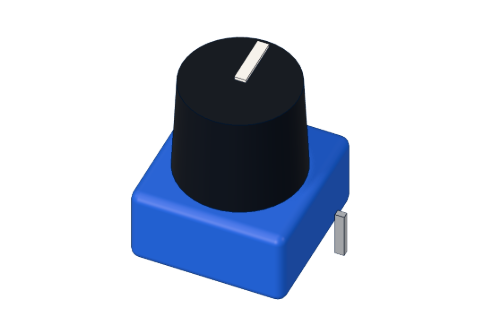 10 kΩ potentiometer
 Arduino UNO R3 (or a compatible board)
 Half-size breadboard
 5 mm LED
 220 Ω resistor
- Jumper wires (male–male)
Don't have the parts? Build it in 3D first.
What it is
A potentiometer ("pot" for short) is a resistor with a sliding contact you move by turning a knob. It has three legs. Put 5 V and GND on the two outer legs, and the middle leg — the wiper — gives any voltage in between, depending on where the knob is. Read that voltage on an analog pin and your Arduino knows the knob's position. See it in 3D.
How it works inside
Inside is a curved track of resistive material, 10 kΩ from one end to the other, joined to the two outer legs. A small metal brush, joined to the middle leg, slides along the track as you turn the knob (through about 270°).
The brush splits the track into two parts, and together they form a voltage divider: the wiper gets a share of the 5 V that matches how far along the track it is.
| Knob position | Wiper voltage | analogRead() | LED brightness (map to 0–255) |
|---|---|---|---|
| All the way to the GND side | 0 V | 0 | 0 (off) |
| A quarter | 1.25 V | about 256 | about 63 |
| Halfway | 2.5 V | about 512 | about 127 |
| All the way to the 5V side | 5 V | 1023 | 255 (full) |
The whole track is always between 5V and GND, so a small current flows through it all the time: 5 V ÷ 10,000 Ω = 0.5 mA. That is tiny — safe even if you turn the knob all the way.
The pins
| Pin | What it does |
|---|---|
| Outer leg 1 | 5V |
| Middle leg (wiper) | The voltage you set — to an analog pin, e.g. A0 |
| Outer leg 2 | GND |
Which outer leg gets 5V and which gets GND only decides the direction: swap them and turning right makes the number go down instead of up.
| Spec | Value |
|---|---|
| Resistance | 10 kΩ |
| Turn | 270° |
How to wire it to an Arduino
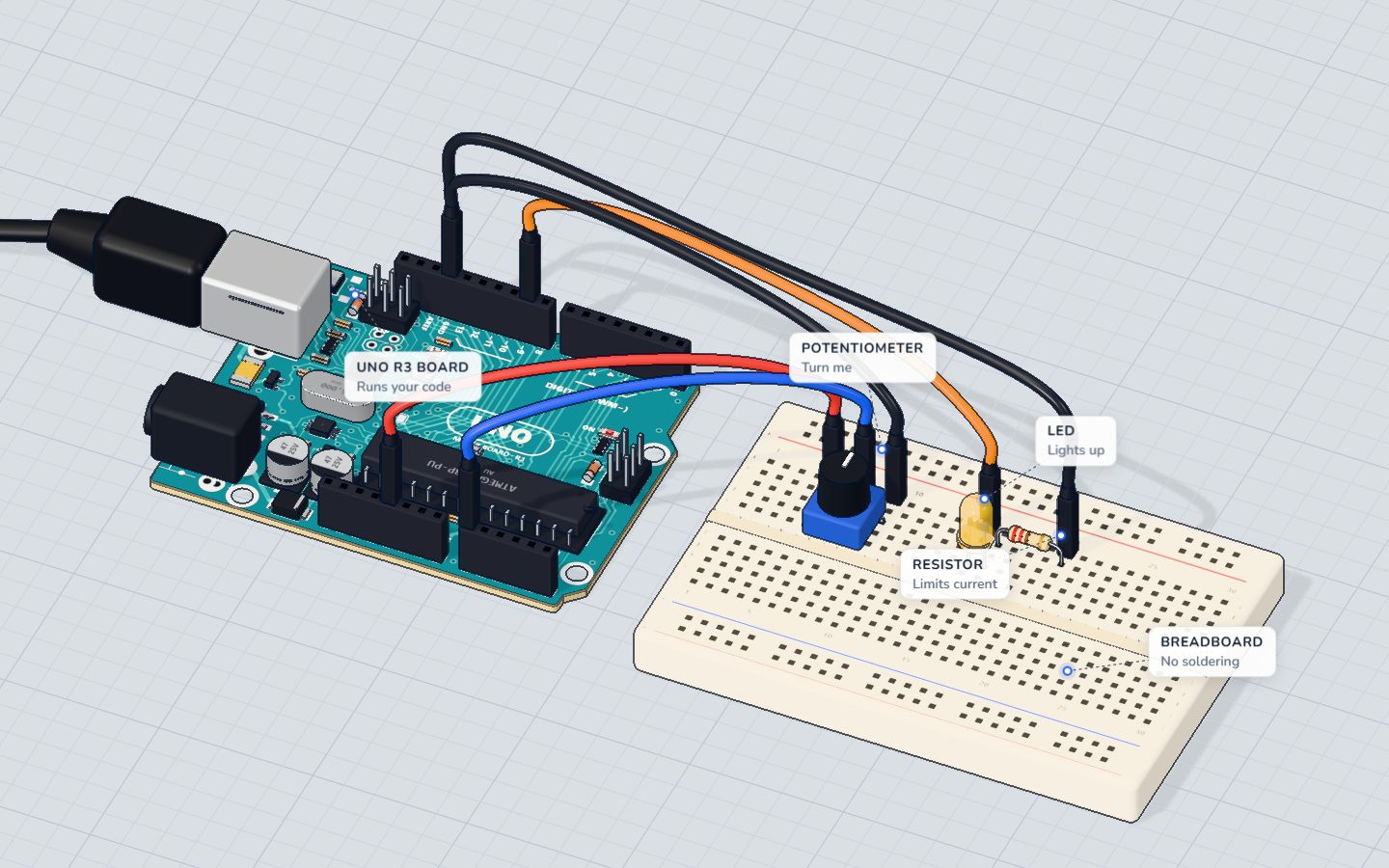
This is the wiring of the potentiometer project:
- Push the pot into the breadboard, each leg in its own row.
- 5V → the first outer leg.
- The middle leg → A0.
- The other outer leg → GND.
- To see the result: pin 9 (a ~ PWM pin) → a yellow LED's long leg, its short leg → a 220 Ω resistor → GND.
Example code
The exact code of the knob project:
const int KNOB = A0;
const int LED = 9;   // a ~ pin: it can dim

void setup() {
  pinMode(LED, OUTPUT);
  Serial.begin(9600);
}

void loop() {
  int reading = analogRead(KNOB);                // 0 … 1023
  int brightness = map(reading, 0, 1023, 0, 255); // 0 … 255
  analogWrite(LED, brightness);
  Serial.print("knob ");
  Serial.print(reading);
  Serial.print("  ->  LED ");
  Serial.println(brightness);
  delay(100);
}analogRead(KNOB)measures the wiper's voltage and gives 0 (0 V) to 1023 (5 V).map(reading, 0, 1023, 0, 255)scales that range to the oneanalogWrite()wants.analogWrite(LED, brightness)dims the LED with PWM — read PWM explained.
Common mistakes
- The middle leg on 5V or GND. The reading is stuck at 1023 or 0. The wiper must go to the analog pin.
- Reading a digital pin.
analogRead()only works on A0–A5. - Dimming on a pin without ~.
analogWrite()on pin 7 or 13 is only fully on or off. Use 3, 5, 6, 9, 10 or 11. - Numbers jump by one or two. Normal — tiny noise. Ignore small changes, or average a few readings.
Check yourself
Which leg of a potentiometer goes to the analog pin?
The outer legs take 5V and GND; the wiper gives the voltage in between.
The wiper is at 2.5 V. What does analogRead() give, about?
0–5 V becomes 0–1023, so half of 5 V is about half of 1023.
Why does the knob code use map()?
map() scales one range of numbers to another.
Questions people ask
What does a potentiometer do in an Arduino project?
It turns a knob position into a voltage between 0 and 5 V. analogRead() turns that into 0–1023, which you can use to set brightness, speed, an angle or a threshold.
What value potentiometer should I use with Arduino?
10 kΩ is the standard choice. Anything from about 1 kΩ to 100 kΩ works; very small values waste current and very large ones give noisier readings.
Why does my potentiometer only work in half the turn, or jump?
Usually a loose leg on the breadboard, or the wiper wired to an outer pin. Push all three legs in firmly and check that the middle one goes to A0.
Is a potentiometer the same as a variable resistor?
Almost. A potentiometer has three legs and gives a voltage; if you use only the wiper and one outer leg, it becomes a variable resistor (sometimes called a rheostat).
Where it is used
Turn it in the potentiometer project, then see the same divider idea at work with light in the night light.
Build it yourself in 3DFree, in your browser — no board, no wires, nothing to buy.Open the 3D lab →Your progress stays on this device — no account, nothing sent anywhere.
Last updated 2026-10-29